Author: Luca Martella

  • How to Find Workflow Bottlenecks Before They Cost Your Business

    How to Find Workflow Bottlenecks Before They Cost Your Business

    Workflow bottlenecks rarely begin as obvious failures. They often appear as a delayed approval, a spreadsheet that needs to be updated manually, a queue that keeps growing, or one employee who has to answer the same questions before work can move forward.

    Over time, these small points of friction can increase processing time, create rework, delay customers, and make teams dependent on manual coordination. The longer they remain hidden, the more likely the business is to treat the symptoms—adding people, sending reminders, or creating another spreadsheet—instead of fixing the underlying constraint.

    The best time to address workflow bottlenecks is before they become expensive. That starts with understanding how work actually moves through the business, where it waits, and why.

    A Bottleneck Is the Point That Restricts the Flow

    A workflow bottleneck is a step, resource, decision, or dependency that limits how efficiently work can move through a process. It may be a slow approval, an overloaded employee, missing information, a system that does not integrate with another system, or a rule that creates unnecessary waiting.

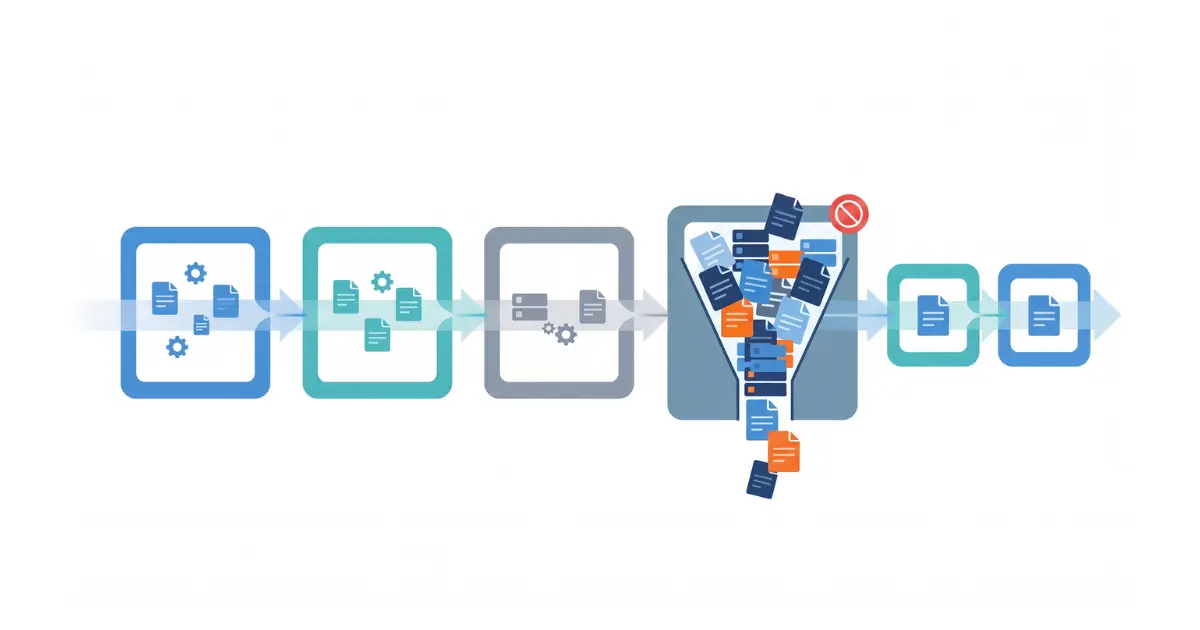
    The important point is that the slowest-looking activity is not always the real bottleneck. A task may take only a few minutes to complete but sit in a queue for two days. Another step may require repeated corrections because the information entering it is incomplete. Finding the bottleneck means looking at the complete flow, not only individual task duration.

    IBM describes process mining as a data-driven way to discover, validate, and improve workflows using event data from business systems. That distinction is useful: the process people believe they follow and the process that actually happens are not always the same.

    Start With the Symptoms the Business Already Sees

    You do not need advanced analytics to begin looking for bottlenecks. Many processes already produce visible warning signs.

    Repeated missed deadlines, growing backlogs, frequent status requests, excessive overtime, duplicate data entry, approval queues, manual copying between systems, and recurring customer complaints can all indicate that part of the workflow is restricting the rest.

    Another warning sign is dependence on a particular person. If work stops whenever one employee is unavailable because only that person knows how to approve, correct, or move a case forward, the process has a capacity and knowledge constraint even if the task itself appears simple.

    These symptoms tell you where to investigate. They should not automatically be treated as the root cause.

    Map What Actually Happens, Not What the Procedure Says

    A useful workflow analysis starts by mapping the process from trigger to outcome. Identify who starts the work, which information is required, which systems are used, where decisions occur, who receives the output, and what happens when something goes wrong.

    The map should reflect real behavior. Ask the people doing the work where they leave the official process, which steps they repeat, what they wait for, and which information they regularly have to chase.

    This often reveals hidden work that is missing from formal procedures: downloading a report, cleaning a spreadsheet, re-entering data, asking for clarification by email, checking another system, or manually notifying the next department.

    Those extra steps matter because bottlenecks frequently live between systems and teams rather than inside the main application.

    Separate Processing Time From Waiting Time

    One of the most useful distinctions is the difference between the time spent actively working on something and the time it spends waiting.

    An approval might require five minutes of attention but remain untouched for a day. Preparing a quotation might take 30 minutes once all information is available, but the team may spend hours waiting for technical details. An invoice might be generated quickly but require manual verification before it can be sent.

    If you measure only task duration, these delays can remain invisible. Track both active processing time and total elapsed time wherever possible. A large gap between the two is a strong signal that queues, handoffs, missing information, or priority rules need attention.

    Look Closely at Handoffs

    Every handoff introduces the possibility of waiting, missing context, or duplicated work. This is especially true when the next person or department cannot begin until information arrives through email, a spreadsheet, a shared folder, or a manual notification.

    Review what each handoff requires. Is the information complete? Does the recipient know that work is ready? Does someone need to reformat or re-enter data? Is ownership clear when an exception occurs?

    A process with many handoffs is not automatically inefficient, but each transition should have a clear purpose. If work repeatedly moves between people simply to obtain information or approval that could have been captured earlier, the workflow may be creating its own bottleneck.

    Measure Rework, Not Just Delays

    Some bottlenecks do not create a visible queue. Instead, they create loops. Work moves forward, gets rejected or corrected, and returns to an earlier step.

    Rework can come from incomplete input, unclear rules, inconsistent data, quality problems, or approvals that happen too late in the process. Because people remain busy, the workflow can appear productive even while the same case is being handled several times.

    A Microsoft case study using process mining to analyze a demand-generation workflow found that 20% of cases required rework and identified a review loop as a major bottleneck. The example shows why repeated paths and loops deserve the same attention as obvious waiting time.

    Track how often work returns to a previous step and why. Reducing one recurring correction can sometimes improve the process more than speeding up several individual tasks.

    Check Whether the Bottleneck Is Really a Capacity Problem

    When a queue grows, adding more people can seem like the obvious solution. Sometimes it is. But a capacity problem should be confirmed before resources are added.

    Ask whether the workload consistently exceeds available capacity, or whether work arrives unevenly because of batching, poor prioritization, missing information, or upstream delays. Also check whether the resource is spending time on tasks that could be removed, standardized, or handled elsewhere.

    If a specialist spends a large part of the day copying data or answering routine status questions, the problem may not be a shortage of specialist capacity. The workflow may simply be consuming that capacity inefficiently.

    Use Data to Confirm What Interviews Suggest

    Interviews and process mapping are excellent for discovering where to look, but system data can help confirm whether a suspected bottleneck is frequent enough to matter.

    Useful measures include total cycle time, waiting time by step, queue length, number of handoffs, rework frequency, exception rate, overdue cases, and the variation between similar cases. Comparing these measures by department, product, customer type, or process variant can reveal patterns that averages hide.

    According to Microsoft’s process mining guidance, process mining can help organizations understand how real processes operate, discover inefficiencies, and identify opportunities to standardize and improve them. This can be particularly useful when a process crosses several systems and produces enough event data for manual observation to become difficult.

    You do not need process mining for every workflow. For smaller processes, a well-structured spreadsheet or dashboard may be enough. The objective is to gather evidence that helps distinguish recurring constraints from isolated incidents.

    Find the Root Cause Before Choosing the Fix

    Once a bottleneck is visible, resist the temptation to automate it immediately. A slow step may exist because the input is incomplete, the approval rule is unnecessary, the system lacks required data, or responsibilities are unclear.

    Ask why the delay occurs and continue until the answer points to something the organization can change. If quotations wait for technical information, why is that information missing? If approvals accumulate, why does every case require the same approval? If employees re-enter data, why cannot the systems exchange it?

    This prevents the business from automating a poorly designed process. Faster execution of an unnecessary step is still unnecessary work.

    Not Every Bottleneck Should Be Automated

    Automation is most useful when the process is understood and the repetitive work is predictable enough to handle consistently.

    Good candidates can include transferring structured data between systems, routing requests, generating routine documents, sending status notifications, checking defined conditions, or escalating cases when thresholds are exceeded.

    Human judgment may still be appropriate for exceptions, negotiations, technical decisions, or approvals with meaningful business risk. The goal is not to remove people from every step. It is to keep their attention on work that genuinely requires judgment.

    Once the workflow has been mapped and the root cause is clear, repetitive steps become much easier to evaluate for automation. This is where Accleverate Flow AI can fit naturally: the service starts from workflow analysis, then applies automation or AI only where it can remove unnecessary manual work or improve the flow. The sequence matters because automating a poorly understood process can simply make the wrong process move faster.

    Disconnected Systems Can Create Bottlenecks Between Departments

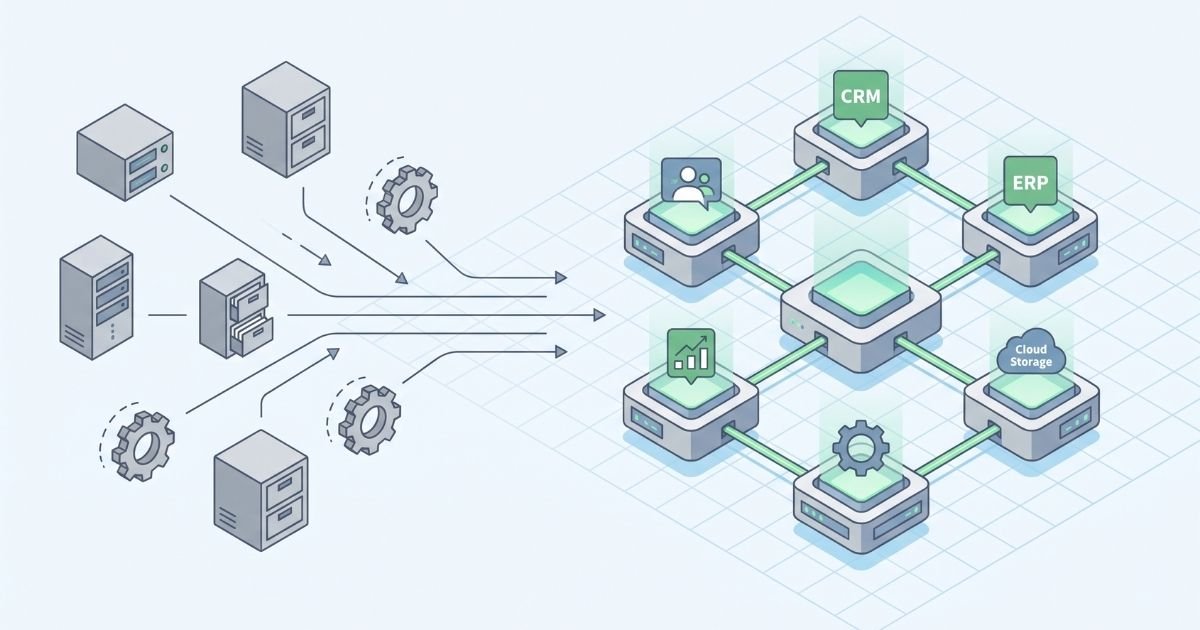
    Some workflow problems cannot be solved by changing one task because the constraint sits between systems. Sales may enter information that production cannot access directly. Warehouse updates may not reach customer service. Documents may need to be recreated because one platform cannot use data from another.

    In these situations, the real issue is information flow. Improving the process may require integration, a shared operational layer, or redesigning how data moves between departments.

    If the bottleneck is not one task but the way several departments exchange information, the solution may need to address the wider operating structure. In that situation, Accleverate Pulse is one example of a modular platform designed to connect sales, production, warehouse, logistics, and operational workflows in a shared environment, reducing the handoffs created by disconnected systems.

    Where the requirements are highly specific or existing systems need to remain in place, the better answer may be targeted integration rather than replacement.

    Sometimes the Workflow Needs Software Built Around It

    Standard applications work well when the business process can reasonably adapt to the software. They become less effective when a company depends on specialized rules, calculations, data structures, or integrations that generic tools cannot support without extensive workarounds.

    If bottleneck analysis repeatedly points to the same software limitation, it may be worth evaluating whether the system should be extended, integrated, modernized, or replaced.

    When the recurring constraint comes from software that cannot support a company-specific process, adding another workaround usually does not solve the underlying problem. A more tailored approach may be appropriate, and Cleverativity’s Custom Software Solutions can support integrations, extensions, or applications built around the workflow the business actually needs.

    Prioritize Bottlenecks by Business Impact

    A process map may reveal several inefficiencies at once. Trying to fix all of them together can make improvement projects difficult to manage.

    Prioritize the constraints that have the greatest effect on customers, revenue, cost, risk, or employee time. A bottleneck affecting hundreds of routine transactions may deserve attention before an inconvenient step that happens twice a month. A low-volume delay may still take priority if it affects regulatory compliance or a critical customer commitment.

    It is also useful to consider ease of improvement. A simple rule change or integration may remove significant friction quickly, while a larger system redesign may need to be planned as a separate initiative.

    Measure the Process Again After the Change

    Removing one bottleneck changes the flow, and another constraint may become more visible afterward. Process improvement is therefore not a one-time exercise.

    Define a small set of measures before making the change so you can compare performance afterward. Depending on the workflow, that might include cycle time, waiting time, backlog, rework, manual touches, error rate, or percentage of cases completed within a target time.

    If performance improves, continue monitoring long enough to make sure the change is sustainable. If it does not, revisit the root cause rather than assuming the solution simply needs more time.

    Business Workflow Bottlenecks FAQ

    What is a workflow bottleneck?

    A workflow bottleneck is a step, resource, decision, or dependency that limits how efficiently work can move through a process. It can appear as waiting, growing queues, rework, overloaded employees, missing information, or disconnected systems.

    How do you identify workflow bottlenecks?

    Start by mapping the real process, then look for waiting time, queues, repeated handoffs, rework, manual data entry, missed deadlines, and dependency on specific people. Use operational data to confirm which constraints occur frequently and have meaningful business impact.

    What causes business process bottlenecks?

    Common causes include limited capacity, incomplete information, unnecessary approvals, unclear ownership, poor prioritization, disconnected software, manual data transfer, inconsistent rules, and repeated corrections.

    Can workflow automation remove bottlenecks?

    Automation can remove some bottlenecks when the underlying process is understood and the work is repetitive and rules-based. It should not be used to automate unnecessary steps or hide a poorly designed process.

    What is the difference between a bottleneck and a delay?

    A delay is an instance of work taking longer than expected. A bottleneck is a recurring constraint that limits the flow of the wider process. A single delay may be unusual; a bottleneck repeatedly affects throughput or cycle time.

    Do I need process mining software to find bottlenecks?

    No. Interviews, process mapping, timestamps, spreadsheets, and operational reports can be enough for simpler workflows. Process mining becomes more useful when processes are complex, cross multiple systems, or generate enough event data that the real process is difficult to reconstruct manually.

    Find the Bottleneck Before Automating the Workflow

    Workflow bottlenecks become expensive when they remain invisible long enough to be accepted as normal. Repeated reminders, spreadsheets, status meetings, rework, and manual handoffs may keep the process moving, but they can also hide where time and capacity are being lost.

    Start by mapping the real workflow, measuring where work waits or repeats, and identifying the root cause before choosing a solution. Sometimes the answer is a process change. Sometimes it is better integration. In other cases, automation can remove repetitive work and make exceptions easier to manage.

    If repeated delays, manual handoffs, or disconnected tools are making a process harder to manage, Accleverate Flow AI can help you examine the workflow first and identify where process changes, automation, or AI could create practical value. Not sure what is causing the bottleneck? Contact Cleverativity to discuss the current process and determine the most useful next step before investing in a solution.
  • When Is It Time to Replace Legacy Business Software?

    When Is It Time to Replace Legacy Business Software?

    Legacy business software is not automatically a problem because it is old. Many systems continue to support important operations for years, and replacing a stable application simply because newer technology exists can create unnecessary cost and disruption.

    The problem begins when the system no longer supports the way the business needs to work. Maintenance becomes harder, integrations become fragile, employees create workarounds, and even small changes take too much time or carry too much risk.

    It may be time to replace or modernize legacy business software when maintaining the current system creates more operational risk, manual work, integration problems, or development limitations than moving to a modern solution. The right decision is therefore based less on the age of the software and more on whether it can still support the business safely, efficiently, and flexibly.

    Old Software Is Not Necessarily Legacy Software

    A mature application can still be reliable, maintainable, secure, and well aligned with business requirements. In that case, its age alone is not a reason to replace it.

    A system becomes a legacy problem when its technology, architecture, or design makes it increasingly difficult to maintain, integrate, scale, secure, or adapt. The software may still perform its original function, but the surrounding business has changed while the application has remained largely fixed.

    IBM’s legacy application modernization overview identifies characteristics such as outdated technology, high maintenance costs, limited scalability, poor adaptability, and security vulnerabilities. These are more useful warning signs than the installation date of the application itself.

    The System Is Creating More Work Around the Work

    One of the clearest warning signs is the amount of manual work employees perform around the system. The application may still technically function, but teams need spreadsheets, copied data, email approvals, manual reports, or separate databases to complete the process.

    These workarounds often appear gradually. One spreadsheet solves a reporting limitation. Another tracks information the system cannot store. A manual export becomes the easiest way to move data to another application. Over time, these extra steps become part of daily operations.

    The result is hidden operational cost. Employees spend time maintaining duplicate information, checking which file is current, and correcting inconsistencies. If the business process increasingly depends on workarounds rather than the system itself, legacy software modernization deserves serious consideration.

    Simple Changes Have Become Expensive or Risky

    Business software needs to evolve as products, customers, regulations, reporting requirements, and internal processes change. A healthy system should allow reasonable improvements without putting unrelated functions at risk.

    Legacy applications can reach a point where even a small modification requires disproportionate effort. Developers may need to trace undocumented dependencies, test large parts of the application, or avoid certain components because nobody is completely sure what will break.

    This technical debt slows improvement. When useful features are repeatedly postponed because the architecture is too difficult to modify, the software is no longer only an IT concern. It is limiting how quickly the business can respond to new requirements.

    Critical Knowledge Depends on Too Few People

    Some legacy systems depend heavily on a small number of employees or external specialists who understand old programming languages, unusual database structures, undocumented business rules, or years of accumulated modifications.

    That knowledge can become an operational dependency. If those people leave, retire, or become unavailable, routine maintenance and future changes become harder.

    Microsoft’s application modernization guidance similarly highlights obsolete technology and institutional knowledge concentrated among a few employees as common modernization concerns. Reducing that dependency can be an important reason to review the system.

    Integration With Modern Systems Is Becoming Difficult

    A business application rarely operates alone. Customer information may move between CRM and ERP systems, orders may connect with production and warehouse processes, documents may need to be generated automatically, and management may expect data to feed reporting tools.

    Legacy software can make these connections difficult when it lacks modern APIs, uses proprietary data structures, or was never designed to exchange information with newer platforms. Teams may compensate with file exports, scheduled imports, manual copying, or fragile custom scripts.

    When these limitations prevent information from moving reliably between departments, the effect is broader than IT. Sales may work with outdated order information, operations may wait for manually transferred data, and management may struggle to get a consistent view of performance.

    When these integration gaps are tied to company-specific workflows, a tailored approach may be more practical than adding another standard tool. Cleverativity’s Custom Software Solutions are built around existing processes, data flows, and integration requirements, helping businesses modernize without losing the logic they already depend on.

    Performance and Scalability Are Starting to Limit Growth

    Software that worked well for a smaller organization may struggle as users, locations, products, transactions, or data increase. Slow searches, long processing times, unstable batch operations, or limited concurrent access can gradually become accepted as normal.

    Performance problems do not always require replacement; infrastructure, configuration, or database design may be the real cause. But when the architecture itself cannot scale without major effort, the business should consider whether continued investment in the old platform is still justified.

    Scalability also includes new workflows, mobile access, additional locations, integrations, and changing business models. Modernization should therefore be evaluated against where the organization is going, not only against today’s workload.

    Security and Support Risks Are Increasing

    Older frameworks, unsupported operating systems, outdated libraries, or applications that no longer receive vendor updates can create security and maintenance risks that become harder to manage.

    The important question is whether the system can still be secured and supported responsibly. If patches are unavailable, dependencies are unsupported, or important security controls require major architectural changes, the risk of keeping the application increases.

    Microsoft’s application modernization lifecycle guidance recommends assessing applications, data, infrastructure, security vulnerabilities, technical debt, and optimization opportunities before selecting a modernization path.

    The Business Process Has Changed but the Software Has Not

    Sometimes the application is technically stable but operationally outdated. The company may have introduced new approval rules, product configurations, sales channels, production processes, reporting requirements, or customer expectations that did not exist when the system was designed.

    If the software cannot represent those changes, employees adapt the process around it. They may enter information in fields intended for something else, maintain separate files, or complete important steps outside the application.

    This is particularly relevant for industrial and B2B businesses where software can contain company-specific product logic, calculations, documents, pricing rules, or operational processes. A generic replacement may not solve the problem if the real requirement is to preserve valuable business logic while improving the system around it.

    Modernization Does Not Always Mean Full Replacement

    Recognizing that a legacy system needs attention does not automatically mean rebuilding everything from scratch. The right approach depends on which parts of the application still provide value and which parts create the greatest constraints.

    A company might retain the application while replacing selected modules, move it to newer infrastructure, refactor difficult components, introduce modern integrations, redesign the interface, or gradually transition workflows to a new system.

    Microsoft’s modernization planning guidance describes several strategies, including retaining, rehosting, refactoring, rearchitecting, rebuilding, replacing, and retiring applications. The appropriate choice depends on business value, technical requirements, cost, and risk.

    This distinction matters because a modernization project should solve the problems that justify change rather than assume that every part of the existing system must disappear.

    A Phased Approach Can Reduce Replacement Risk

    A full replacement can be risky when the legacy application supports critical daily operations. Years of business rules may be embedded in the software, and some may not be documented clearly enough to reproduce immediately.

    A phased approach can reduce that risk. A company might begin with a high-friction module, build a modern interface around existing data, replace one workflow at a time, or introduce integrations that remove manual work before addressing the core application.

    This incremental approach is consistent with AWS Prescriptive Guidance on application modernization, which recommends assessing modernization readiness, starting with selected applications, learning from those projects, and then establishing a foundation for broader modernization.

    Smaller phases also give users time to adapt and make it easier to validate requirements before more of the system is changed.

    Preserve the Business Logic That Still Has Value

    One of the biggest mistakes in replacing legacy software is assuming that everything old should disappear. Mature systems often contain years of business knowledge: pricing rules, approval logic, product structures, calculations, reports, customer requirements, and exceptions that teams have refined over time.

    Modernization should identify which rules still create value and which exist only because of historical limitations. Rebuilding every workaround in a new application simply recreates old problems with newer technology.

    A useful discovery phase therefore combines technical and process analysis. Developers need to understand the architecture and data, while business users need to explain why particular workflows exist and whether they are still necessary.

    Data Migration Needs Its Own Plan

    The application is only part of the modernization challenge. Years of customer, product, order, document, or operational data may need to remain available after the system changes.

    Before migration, teams should identify which data is useful, which records must be retained, and which information is duplicated or unreliable. Moving every historical record without review can transfer old data problems directly into the new system.

    It is also important to decide how historical information will be accessed. Some records may need to move into the new application, while older data could remain available through an archive or reporting environment.

    Modernization Can Improve the User Experience Too

    Legacy software often reflects the interface conventions and working patterns of the period in which it was built. Users may need many screens to complete a task, rely on shortcuts known only to experienced employees, or work from desktop installations that are difficult to access remotely.

    Modernization creates an opportunity to review how people actually use the system. Processes can be simplified, information can be presented more clearly, and suitable workflows can be moved toward modern web or mobile interfaces.

    A modernization project creates an opportunity to review how people actually use the system, simplify unnecessary steps, and make important workflows easier to access. This is the kind of approach behind Cleverativity’s Custom Software Solutions, where modernization is shaped around the business process rather than treated as a simple technology replacement.

    Sometimes the Real Problem Is a Collection of Disconnected Systems

    In some businesses, the challenge is broader than one aging application. Sales may use one tool, production another, warehouse teams maintain separate information, and management relies on manually assembled reports.

    Replacing a single system without considering these connections can leave the underlying fragmentation unchanged. A modernization assessment should therefore examine how information needs to move across the business, not only the feature list of the application being replaced.

    If the problem extends beyond one legacy application and affects how sales, production, warehouse, and logistics share information, the solution may need to address the wider operational structure. In that context, Accleverate Pulse is one example of a modular platform designed to connect those workflows in a more unified environment.

    Automation Should Follow Process Improvement

    Modernizing a system can create opportunities to automate repetitive work, but automation should not simply reproduce an inefficient legacy process at greater speed.

    Before automating, teams should review approvals, data entry, notifications, document preparation, reporting, and handoffs to determine which steps are necessary and which exist only because the old system could not support a better workflow.

    Once the underlying process has been simplified, some repetitive coordination may also be suitable for automation. Accleverate Flow AI is designed for this stage: analyzing workflows, identifying bottlenecks, and applying automation or AI where it creates practical value.

    How to Decide Whether to Keep, Modernize, or Replace

    Start with the problems users experience, then determine which come from the application itself and which come from the surrounding process. Review maintenance effort, support availability, security, integration capability, performance, scalability, user experience, data quality, and the cost of current workarounds.

    It is also useful to consider the cost of doing nothing. What happens if the system remains unchanged for another three to five years? Will specialist knowledge become harder to find? Will integrations become more fragile? Will important improvements continue to be postponed?

    If the application remains stable, secure, maintainable, and aligned with the process, retaining it may be reasonable. If specific components are creating problems, targeted modernization may be enough. If the architecture prevents meaningful improvement across several areas, replacement or substantial reengineering becomes easier to justify.

    The objective is not to choose the newest technology. It is to choose the path that reduces operational risk while giving the business enough flexibility to continue improving.

    Frequently Asked Questions About Legacy Software Modernization

    What is legacy software modernization?

    Legacy software modernization is the process of updating an older application so it can better support current business, technical, security, integration, and scalability requirements. It can involve rehosting, refactoring, rearchitecting, replacing, or rebuilding parts of the system.

    How do I know when to replace legacy business software?

    Replacement should be considered when the system creates persistent operational problems, becomes difficult or expensive to maintain, cannot integrate with important tools, depends on unsupported technology, or prevents the business from adapting its processes.

    Does modernization mean rebuilding the entire application?

    No. Modernization can be incremental. A company may replace selected modules, modernize the interface, move infrastructure, refactor parts of the code, add integrations, or gradually transition workflows to a new platform.

    Can legacy software be converted into a web application?

    In many cases, yes, but the best approach depends on the existing architecture, data, business logic, security requirements, and integrations. Some applications can be modernized progressively, while others may benefit from a more substantial redesign.

    What happens to existing data during modernization?

    Existing data should be assessed before migration. Useful and required information can be cleaned, mapped, migrated, archived, or made accessible through another system. Data migration should be planned as part of the modernization strategy.

    Is custom software always necessary for legacy system modernization?

    No. Some systems can be replaced with suitable off-the-shelf platforms, while others can be rehosted or refactored. Custom software becomes more relevant when specialized workflows, integrations, technical logic, or operational requirements cannot be supported well by standard products.

    Ready to Modernize Your Business Software?

    The right time to modernize legacy software is not defined by how many years the application has been running. It is defined by whether the system still supports the business safely, efficiently, and flexibly.

    If your current system is becoming difficult to maintain, integrate, or adapt, Custom Software Solutions can help you explore whether modernization, partial replacement, or a more tailored system is the right next step.

    Not sure which approach makes sense? Contact Cleverativity to discuss your current setup and identify the most practical path forward.

  • Why Production Scheduling Is the Key to On-Time Manufacturing

    Why Production Scheduling Is the Key to On-Time Manufacturing

    A customer delivery date may look like a simple promise, but meeting it depends on dozens of decisions inside the factory. Materials need to arrive at the right time, machines and people need to be available, operations must happen in the right sequence, and urgent orders cannot continually disrupt work that is already in progress.

    This is where production scheduling becomes critical. A production plan can define what needs to be made, but the schedule turns that plan into an executable sequence of work. It connects customer demand with actual shop-floor capacity and helps teams understand what should happen, where it should happen, and when.

    When scheduling is weak, manufacturers often compensate with spreadsheets, daily firefighting, overtime, expedited orders, and constant changes in priority. When scheduling is reliable and connected with real operational data, teams have a much better chance of protecting delivery dates without creating unnecessary pressure across production.

    Production Planning and Production Scheduling Are Not the Same

    Production planning and production scheduling are closely related, but they solve different problems. Planning looks at what the business needs to produce over a broader period and whether demand can be supported by materials, labor, and equipment. Scheduling translates those requirements into specific timing, sequence, and resource assignments.

    As IBM explains in its overview of supply chain planning, production planning determines when and where products will be made while coordinating raw materials, labor, and equipment. Scheduling takes that intent closer to execution by deciding how work should be arranged against real constraints.

    The distinction matters because a feasible monthly plan can still fail on the shop floor. Two jobs may need the same machine at the same time. A critical component may not be available. A setup may take longer than expected. An urgent customer order may need to be inserted without pushing several other orders late. Production scheduling is where those conflicts become visible.

    On-Time Delivery Depends on More Than Working Faster

    When orders begin to run late, the natural reaction is often to push production harder. Teams add overtime, expedite materials, move people between work centers, or ask machines to run longer. These actions can help temporarily, but they do not necessarily solve the reason the schedule became unreliable.

    A factory can be busy and still deliver late. If work is released in the wrong sequence, bottlenecks become overloaded while other resources wait. If materials are missing, partially completed orders occupy space without moving. If priorities change constantly, teams spend time switching rather than completing work.

    Better production scheduling focuses on flow rather than activity alone. It helps manufacturers decide which jobs should move first, which resources are constrained, and whether the promised completion date is realistic based on the work already in the system.

    A Good Schedule Starts With Real Capacity

    One of the biggest differences between a useful schedule and an optimistic one is how capacity is treated. A schedule that assumes unlimited machine time, labor, or work-center availability may look good on paper but become impossible as soon as production begins.

    Realistic scheduling considers the capacity of critical resources. That can include machine availability, labor shifts, planned maintenance, setup time, tooling, subcontracted operations, and other constraints that determine how much work can actually be completed.

    A recent NIST Manufacturing Extension Partnership case study illustrates the connection. After a manufacturer corrected routing information, configured work centers for scheduling, and addressed a welding bottleneck, it was able to provide more accurate lead-time estimates and reduce quoted lead times from 12-14 weeks to 5 weeks.

    The lesson is not that every manufacturer needs the same scheduling method. It is that scheduling becomes more credible when the data behind capacity, routings, and constraints reflects what is actually happening in production.

    Bottlenecks Need to Shape the Schedule

    Most production environments have resources that limit throughput at different times. A welding department may be overloaded this week, while a particular machine, inspection step, or external supplier becomes the constraint next week.

    If every work center is treated as equally available, the schedule can release more work toward a bottleneck than it can process. Queues grow, lead times stretch, and downstream operations receive work inconsistently.

    Scheduling should therefore make constraints visible and help planners protect the flow through critical resources. This does not mean every minute needs to be optimized mathematically. Even basic visibility into work-center load, queue length, and available capacity can improve decisions about sequence and promised dates.

    NIST research on manufacturing investments has also identified bottleneck reduction and scheduling among high-return improvement areas, reinforcing how strongly these operational decisions can affect manufacturing performance.

    Material Availability Has to Be Part of the Decision

    A production schedule cannot be reliable if it assumes materials will be available when they are not. Releasing a job without the required components may make the schedule look active while creating work-in-progress that cannot be completed.

    This is why manufacturing production scheduling needs to stay connected with material requirements and inventory information. Planners should be able to see whether the required components are available, expected, delayed, or already committed to another order.

    The connection becomes especially important in make-to-order and configurable manufacturing, where different jobs may compete for the same components. A schedule that considers both capacity and material availability gives teams a more realistic picture of which orders can actually move forward.

    Sequence Matters More Than It Appears

    Two schedules can contain exactly the same orders and still produce very different results depending on sequence. Setup time, tooling changes, product families, batch requirements, due dates, and downstream dependencies can all influence the most practical order of work.

    Frequent priority changes make this harder. When every urgent request jumps to the front of the queue, the schedule loses stability. Existing jobs are interrupted, setups increase, and teams stop trusting the published plan because they expect it to change again.

    A stronger scheduling process provides clear rules for priority changes. Truly urgent orders can still be accommodated, but the impact on other work should be visible before the change is made. This turns rescheduling into a controlled decision rather than a daily reaction.

    Scheduling Creates a Shared View Across Departments

    Production delays rarely affect only production. Sales needs realistic promise dates. Purchasing needs to know when materials are required. Warehouse teams need visibility into incoming and outgoing demand. Logistics needs to prepare shipments, while management needs to understand whether customer commitments are at risk.

    When each department maintains its own spreadsheet or version of the plan, those decisions become difficult to coordinate. A change made by production may not reach sales, or a material delay identified by purchasing may not be reflected in the shop-floor schedule quickly enough.

    A connected operational platform such as Accleverate Pulse can support this broader need by bringing sales, production, warehouse, logistics, and operational information into a more unified environment. For scheduling, the value is not simply having another calendar. It is having the surrounding business data available when production decisions are made.

    A Reliable Schedule Makes Problems Visible Earlier

    Good scheduling does not eliminate disruption. Machines can fail, suppliers can deliver late, quality issues can create rework, and customer priorities can change. What a reliable schedule can do is make the impact visible earlier.

    If a critical operation slips by a day, planners should be able to see which downstream jobs and delivery dates are affected. If a work center becomes overloaded, the team can review alternatives before the backlog becomes unmanageable. If a material delay blocks several orders, purchasing and production can coordinate priorities instead of discovering the issue when the job reaches the machine.

    This earlier visibility changes the nature of production management. Instead of reacting only after an order is late, teams can focus on the conditions that are likely to make it late.

    Shop-Floor Feedback Keeps the Schedule Useful

    A schedule is only as current as the information feeding it. If planned times, actual completion, downtime, scrap, or work-center status are not updated, the schedule gradually becomes disconnected from reality.

    This is one reason manual scheduling becomes difficult as manufacturing complexity grows. A spreadsheet may be manageable when there are a few jobs and resources, but constant changes make it harder to maintain an accurate picture of what has started, what has finished, and what has been delayed.

    Capturing actual progress allows planners to compare planned and real performance. Over time, that information can also improve routing times, capacity assumptions, and lead-time estimates. The goal is not perfect data at every second, but enough reliable feedback to keep future decisions grounded in actual production.

    Visual Management Helps Teams Act on the Schedule

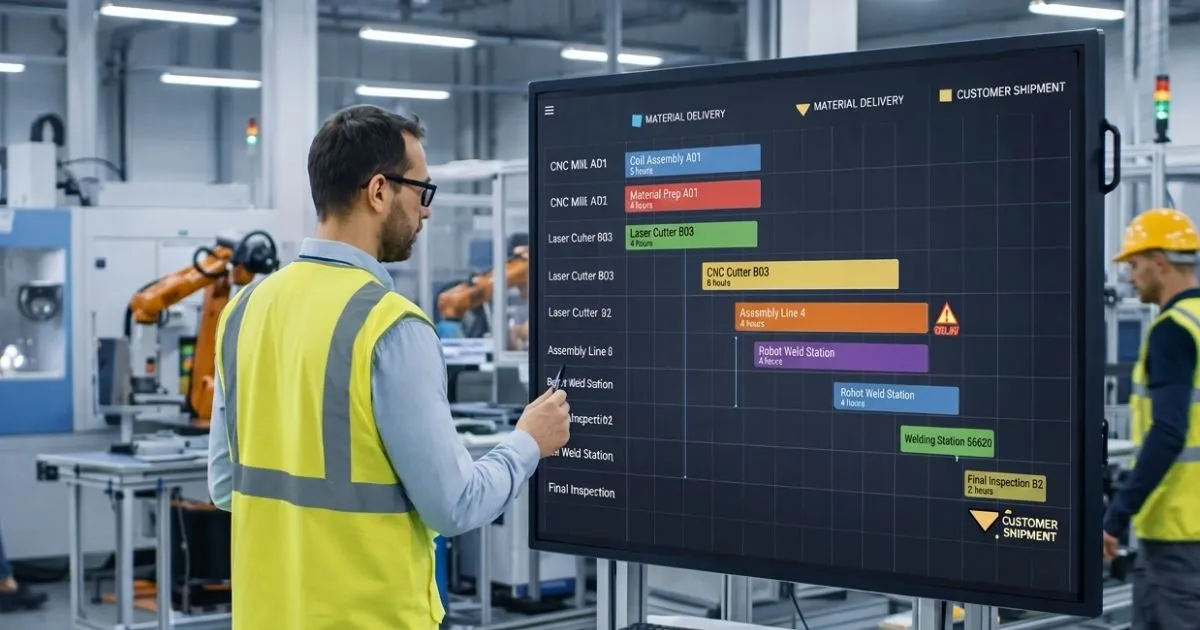
    A technically correct schedule has limited value if the people responsible for executing it cannot understand the priorities. Operators and supervisors need a clear view of what should happen next, what is late, and where attention is required.

    In one NIST MEP manufacturing case study, visual scheduling boards became part of standard operations and helped teams keep jobs flowing. The example highlights an important point: scheduling is not only a planning activity. It also needs to support communication and execution on the shop floor.

    Whether that visibility comes from digital work queues, dashboards, production boards, or another interface, teams should be able to understand priorities without relying on repeated verbal updates or separate files.

    Better Scheduling Can Improve Delivery Performance

    The relationship between scheduling and delivery performance is visible in real manufacturing improvement projects. In another NIST MEP example, a manufacturer aligned scheduling and clarified capacity across key departments while improving communication and visual management. The reported result included a 26% improvement in on-time delivery and a 90% reduction in month-to-month backlog.

    Those results should not be treated as a guarantee for every factory. Production performance depends on process design, demand, quality, material availability, workforce, equipment, and many other factors. But they demonstrate why scheduling should be treated as part of operational improvement rather than as an administrative task performed after the real decisions have already been made.

    When the schedule reflects real constraints and is used consistently, it can help manufacturers make more credible delivery promises, reduce unnecessary expediting, and focus improvement efforts on the areas that actually limit flow.

    Production Scheduling Works Best as Part of a Connected Process

    Scheduling cannot compensate for inaccurate routings, missing inventory data, unclear priorities, or processes that are not being followed. It works best when it is connected with the information that shapes production decisions.

    That includes orders and customer dates, bills of materials, material requirements, work-center capacity, routing information, inventory, actual production progress, and shipment requirements. When these elements are disconnected, planners spend more time collecting and reconciling information before they can make a decision.

    In some manufacturing environments, standard systems do not fully support the way this information needs to move between departments. When production rules, legacy systems, or internal workflows are highly specific, Cleverativity’s Custom Software Solutions can help connect those processes through tailored applications and integrations. The goal is to reduce the gap between planning and execution without introducing another isolated tool.

    Automation Can Help With Repetitive Scheduling Work

    Not every scheduling decision should be automated, especially when planners need to consider customer relationships, technical exceptions, or operational knowledge that is difficult to capture in a simple rule. But repetitive work around scheduling can often be reduced.

    Examples include alerts when an order is at risk, notifications when material is missing, routine status updates, data synchronization between systems, or escalation when a work center exceeds a defined threshold.

    Where these manual handoffs become a recurring bottleneck, Accleverate Flow AI can be used to analyze workflows and identify opportunities for practical AI and process automation. The purpose is not to remove the planner from the decision, but to reduce repetitive coordination so attention can stay on exceptions and priorities.

    How to Know When Your Scheduling Process Needs Improvement

    Manufacturers do not need to wait for a major delivery problem before reviewing scheduling. Warning signs often appear gradually: planners spend hours updating spreadsheets, supervisors work from different priority lists, sales cannot get reliable completion dates, urgent orders constantly disrupt the queue, or teams rely on overtime to recover from missed plans.

    Another sign is when the schedule is technically available but nobody trusts it. If departments create their own lists because the official schedule is considered unrealistic, the problem is no longer only a software issue. The underlying data, rules, and planning process need to be reviewed.

    A useful improvement project starts by mapping how orders move from demand to production and delivery. Identify where dates are created, how capacity is calculated, when material availability is checked, who can change priorities, and how actual progress is reported. Those points reveal where the schedule is losing accuracy or authority.

    Manufacturing Production Scheduling FAQ: Planning, Execution, and Control

    What is production scheduling in manufacturing?

    Production scheduling is the process of assigning manufacturing work to specific resources and time periods. It helps determine the sequence and timing of jobs based on demand, due dates, capacity, materials, routings, and other production constraints.

    How does production scheduling improve on-time delivery?

    Production scheduling improves on-time delivery by aligning customer due dates with realistic capacity, material availability, job sequence, and shop-floor progress. It also helps planners identify conflicts and bottlenecks before they cause missed delivery dates.

    What is the difference between production planning and scheduling?

    Production planning determines what needs to be produced and the broader resources required to meet demand. Production scheduling translates that plan into a more detailed sequence of work, assigning jobs to resources and time periods while considering operational constraints.

    Does production scheduling require an ERP or MRP system?

    Not always, but scheduling becomes easier to maintain when it can use reliable order, routing, material, inventory, and capacity data from connected business systems. The appropriate software depends on the complexity of the manufacturing process and the systems already in place.

    Can production scheduling eliminate late orders?

    No scheduling process can eliminate every disruption. Equipment failures, supplier delays, quality problems, and unexpected demand can still affect production. Good scheduling helps manufacturers see the impact earlier, respond more systematically, and make delivery commitments based on more realistic information.

    How often should a production schedule be updated?

    The schedule should be updated often enough to reflect meaningful changes in production, such as completed operations, delays, material issues, machine downtime, or priority changes. The right frequency depends on the manufacturing environment and how quickly conditions change.

    Turn Production Scheduling Into a More Reliable Delivery Process

    On-time manufacturing is not achieved by asking the shop floor to work faster every time an order falls behind. It depends on making realistic decisions about capacity, materials, sequence, priorities, and available time before those problems become urgent.

    A reliable production scheduling process gives manufacturers a clearer connection between customer commitments and what the factory can actually execute. It also provides a shared operational view that helps sales, purchasing, production, warehouse, and logistics coordinate around the same priorities.

    If spreadsheets, disconnected systems, or constant manual rescheduling are making production harder to manage, try Accleverate Pulse to see how a modular enterprise platform can support production scheduling, MRP, and connected operations across your business.

    Prefer to discuss your current workflow first? Contact Cleverativity to explore the best approach for your production and operational needs.

  • What to Look for in Heat Exchanger Calculation Software

    What to Look for in Heat Exchanger Calculation Software

    Choosing the right heat exchanger calculation software is not only about finding a tool that produces a thermal result. For engineering teams and heat exchanger manufacturers, the calculation is usually one part of a wider process that includes product selection, configuration, technical documentation, pricing, and quotation.

    A platform may calculate accurately but still create extra work if engineers need spreadsheets, separate applications, or repeated data entry to complete the rest of the job. The better approach is to evaluate how well the software supports the complete engineering workflow and how easily it can adapt to the products your company actually designs and sells.

    That makes the selection process more practical. Instead of comparing long feature lists, teams can focus on the capabilities that affect daily engineering work, collaboration, and the path from customer requirements to a technically valid and commercially usable solution.

    Start With the Calculations Your Team Actually Performs

    The first step is to map the calculations your engineers perform today. Look at the operating conditions they receive, the fluids and materials they work with, the geometries they need to evaluate, and the outputs they prepare for the next stage of the process.

    This helps separate essential requirements from features that may look impressive but have little value in daily use. If the software cannot support the conditions and product logic your team depends on, engineers will continue using external tools and manual checks.

    Reliable thermal calculations remain the foundation. But the software should also provide enough technical detail for engineers to understand the result, compare alternatives, and make confident design decisions rather than treating the calculation as a black box.

    Make Sure It Supports the Heat Exchanger Types You Build

    Heat exchanger requirements vary by product family. Plate heat exchangers, shell and tube units, and finned packs or coils do not follow exactly the same geometry, configuration, or selection logic. A manufacturer working across several types therefore needs more than a generic calculation interface.

    When comparing platforms, check whether the software can represent the exchanger types you manufacture today and whether it can accommodate additional product families later. The important question is not simply whether a product type appears in a menu, but whether the system can support the technical parameters, materials, geometries, operating limits, and selection rules behind it.

    For example, Alfa Laval’s plate heat exchanger calculation guidance highlights inputs such as heat load, inlet and outlet temperatures, allowable pressure drop, operating temperature and pressure, and flow rate. Your own requirements may differ, but the principle is the same: the software needs to reflect the variables that genuinely drive your engineering decisions.

    Look for Technical Depth, Not Just a Fast Result

    A calculation result is useful only when engineers can evaluate whether the proposed solution is technically appropriate. Depending on the application, teams may need to review pressure drop, thermal margins, physical properties, operating limits, alternative configurations, and other performance data.

    This is why professional engineering tools are often evaluated on the depth of their analysis as well as their speed. The goal is not to add unnecessary complexity, but to give engineers enough information to understand why a configuration works and how it compares with other options.

    HTRI’s Xchanger Suite is one example of an established engineering environment that supports rating, simulation, and design across different heat-transfer equipment. It provides a useful external reference for the level of technical detail engineering users may expect when evaluating specialized calculation tools.

    Configurability Is Important for Manufacturer-Specific Rules

    Two heat exchanger manufacturers can sell similar products while using different geometries, materials, model ranges, calculation logic, selection criteria, accessories, price structures, and documentation. This makes configurability one of the most important areas to evaluate.

    Engineering calculation software should be able to reflect the way your company works instead of forcing your products into a fixed structure. Depending on the business, this may include calculation parameters, geometries, materials, available models, technical data, drawings, images, accessories, price lists, and quotation templates.

    This flexibility also matters over time. Product ranges change, engineering rules are updated, new materials are introduced, and commercial requirements evolve. A system that is difficult to adapt may eventually create the same limitations as the legacy tools it was intended to replace.

    Companies with highly specific engineering or operational requirements can also explore Custom Software Solutions for systems designed around their own workflows, data structures, and business logic.

    Calculation and Product Selection Should Work Together

    Once the required thermal performance has been determined, engineers still need to identify a suitable product or configuration. If the selection stage happens in another spreadsheet or application, the workflow remains fragmented.

    A stronger process connects calculation and selection so that technically suitable options can be evaluated without recreating the same data. Engineers should be able to compare alternatives according to the company’s own technical rules and choose the configuration that best fits the application.

    Dedicated tools such as Alfa Laval PHE Select show the value of connecting operating conditions with product selection. For manufacturers evaluating a broader platform, the same principle applies: calculation should lead naturally into a structured selection process rather than becoming an isolated technical step.

    Think About What Happens After the Engineer Selects a Product

    One of the most useful questions to ask during software evaluation is what happens after a technically valid configuration has been selected. In many businesses, this is where manual work begins.

    Product information may be copied into spreadsheets, prices checked in another file, accessories added manually, and quotations prepared in separate templates. Each handoff adds time and creates another opportunity for inconsistent data.

    When calculation, configuration, and commercial preparation are connected, the selected product can remain consistent throughout the process. This can make it easier for engineering and sales teams to work from the same information instead of maintaining different versions of the same configuration.

    Where repetitive handoffs or manual steps remain around these processes, Accleverate Flow AI can help identify workflow bottlenecks and automate suitable business tasks.

    Pricing and Quotation Capabilities Can Reduce Repeated Work

    Heat exchanger pricing can depend on more than a standard product code. Materials, dimensions, components, accessories, customer requirements, and configuration choices may all affect the final price.

    For manufacturers with complex products, connecting engineering data with pricing or CPQ logic can reduce the need to rebuild the selected configuration in another tool. The technical solution becomes the basis for the commercial offer, helping teams maintain consistency between what was calculated and what was quoted.

    Quotation generation is also worth reviewing. A customer may need technical specifications, performance data, datasheets, drawings, product images, accessories, and commercial information. If the software can reuse data already produced during calculation and selection, teams can prepare professional documents with less manual formatting.

    Check How Product Data Is Managed

    Calculation software often depends on information stored across multiple locations. Technical parameters may be in one application, pricing in spreadsheets, drawings in folders, and customer or project data in CRM or ERP systems.

    A new platform does not necessarily need to replace every system, but it should have a clear role in the data flow. Teams should understand which information is maintained in the calculation environment, which data comes from other systems, and where the final configuration needs to go.

    Reducing duplicate data entry can improve consistency and make updates easier to control. It also helps prevent situations where different departments are working from different versions of product or pricing information.

    Integration Matters When Engineering Is Part of a Larger Workflow

    Heat exchanger calculation rarely exists completely on its own. Customer information may originate in a CRM, product and pricing data may connect with an ERP, and accepted quotations may eventually move into production or order management.

    For that reason, integration capabilities should be part of the evaluation. APIs, structured data exchange, and connections with existing business systems can help information move through the organization without repeated manual entry.

    The right level of integration depends on the company. A smaller engineering team may need only a few connections, while a manufacturer with complex sales and production processes may need calculation data to become part of a broader enterprise workflow.

    For manufacturers that need calculation data to connect with wider business operations, Accleverate Pulse can support connected workflows across sales, production, warehouse, logistics, and operations.

    Usability Should Support Engineers Without Oversimplifying the Work

    Technical depth is important, but software can still become difficult to use if routine actions require too many steps. A clear interface should help users move through calculation, comparison, selection, and documentation without hiding the engineering information they need.

    It is also useful to consider the different people who may use the platform. Experienced engineers may need detailed controls and transparent technical outputs, while sales engineers may need a more guided path from customer requirements to a valid configuration and quotation.

    Good usability does not mean removing complexity from engineering. It means presenting that complexity in a structured way so that users can work efficiently and consistently.

    Consider Accessibility and Collaboration

    Traditional engineering applications are often installed on individual desktop computers. That approach may still be appropriate for some workloads, but it can create limitations when teams work across locations or when engineering and sales need to collaborate more closely.

    Web-based access can make a platform easier to use across devices and locations, provided that technical functionality, performance, security, and user permissions are handled properly. For manufacturers with distributed teams or international sales operations, this can make engineering information easier to access without relying on a specific workstation.

    The delivery model should therefore be evaluated as part of the workflow rather than as a technology preference. The question is whether it makes the work easier for the people who need to use the system.

    Evaluate the Software Against Real Engineering Scenarios

    A practical way to compare systems is to test them against real cases from your business. Use a typical customer request, a technically difficult calculation, a configuration with several alternatives, and a quotation that requires detailed documentation.

    Then look at the full journey. How many times does the user need to re-enter information? Does the engineer need to leave the platform to complete important checks? Can the selected configuration continue into pricing and documentation? Are the outputs clear enough for both technical and commercial teams?

    These real scenarios often reveal more than a generic feature checklist. They show whether the software fits the process when the work becomes complex, which is where engineering teams usually feel the limitations of their existing tools.

    Plan for Future Products and Changing Requirements

    Software that fits today’s product range may still become restrictive if it cannot evolve. Manufacturers may introduce new exchanger families, update geometries, change calculation rules, add price lists, expand into new markets, or connect engineering with additional business systems.

    Before making a decision, ask how easily the platform can accommodate those changes. A configurable architecture can help preserve the value of the system as the business grows and reduce the risk of another disruptive replacement later.

    This is particularly important when the company’s engineering knowledge is part of its competitive advantage. The software should support that knowledge and make it easier to apply consistently, not lock it into a structure that becomes difficult to maintain.

    Heat Exchanger Software FAQ: Calculations, Selection, and Workflows

    What should heat exchanger calculation software include?

    It should support the thermal calculations, fluids, materials, geometries, and exchanger types relevant to your products. For many manufacturers, it should also help with product selection, configuration, technical documentation, and connections to pricing or quotation workflows.

    Is heat exchanger calculation software only for engineers?

    Not necessarily. Engineers are usually the primary technical users, but sales engineers, product teams, and commercial teams may also use information generated by the system for product selection, pricing, technical documents, and quotations.

    Why is configurability important in engineering calculation software?

    Manufacturers often use company-specific geometries, product rules, materials, selection logic, price structures, and documentation. Configurability allows the software to reflect those requirements instead of forcing the business into a generic workflow.

    Should calculation software include product selection?

    For manufacturers that calculate and sell configurable heat exchangers, connecting calculation with product selection can reduce manual steps and make it easier to compare technically suitable options using consistent engineering rules.

    Can heat exchanger calculation software connect with ERP or CRM systems?

    Yes, depending on the platform. Integration through APIs or structured data exchange can help customer, product, pricing, quotation, and order information move between engineering software and other business systems.

    Choose Software That Supports the Complete Engineering Workflow

    The best software for heat exchanger calculations is not necessarily the platform with the longest feature list. It is the one that supports the technical work your engineers perform, reflects your product rules, and fits the wider process around calculation, selection, pricing, documentation, and quotation.

    For some manufacturers, the priority will be deeper calculation capabilities. For others, the biggest improvement will come from connecting engineering with commercial workflows or replacing spreadsheets and disconnected tools. Defining those priorities before comparing systems makes it easier to choose a platform that delivers value beyond the initial calculation.

    Cleverativity has more than 25 years of experience developing software for HVAC and refrigeration applications. Accleverate HVAC+R is designed to support configurable heat exchanger calculation, selection, pricing, and quotation workflows for manufacturers. You can also explore the Cleverativity Academy for more articles on HVAC engineering software, enterprise systems, automation, and digital transformation.
    Cleverativity has more than 25 years of experience developing software for HVAC and refrigeration applications. If your engineering team is looking to simplify heat exchanger calculation, selection, pricing, and quotation workflows, contact Cleverativity and discover how Accleverate HVAC+R can be configured around your products and engineering requirements.

  • ERP vs MRP: Which One Does Your Manufacturing Business Actually Need?

    ERP vs MRP: Which One Does Your Manufacturing Business Actually Need?

    MRP software becomes important when a manufacturing business needs better control over materials, inventory, production schedules, and purchasing decisions. At a basic level, it helps answer practical questions: what materials are needed, how many are required, and when they must be available to keep production moving.

    Manufacturing ERP software has a wider role. It can connect production planning with sales, warehouse, logistics, purchasing, finance, reporting, and management. Instead of focusing only on material requirements, ERP helps the business manage connected operations across departments.

    The challenge is that many manufacturers are not always sure which system they need. Some businesses need a focused planning tool. Others need a broader operational platform that connects sales, production, warehouse, and delivery. This is why understanding ERP vs MRP for manufacturers is important before investing in new software.

    For growing manufacturers, the decision is not only about features. It is about how work moves across the company, where information gets delayed, and whether the current system supports real operational control.

    Understanding the Difference Between ERP and MRP

    MRP stands for material requirements planning. It is mainly used to plan materials, production needs, purchase timing, inventory levels, and manufacturing schedules. In many companies, MRP is closely tied to the bill of materials, production demand, stock availability, lead times, and purchasing requirements.

    A clear definition of material requirements planning can help teams understand why MRP is especially useful for production planning and inventory control. It is designed to help manufacturers reduce shortages, avoid excess stock, and keep materials aligned with production demand.

    ERP stands for enterprise resource planning. ERP software is broader because it connects multiple business functions into one structure. A manufacturing ERP software platform may include production, warehouse, purchasing, sales, customer data, finance, reporting, and operational management.

    IBM describes enterprise resource planning as a system that manages and streamlines organizational functions, processes, and workflows through automation and integration. For manufacturers, this broader structure can be useful when production planning is only one part of a larger operational challenge.

    What MRP Software Does Well

    MRP software is useful when the main problem is planning what materials are needed for production. It helps manufacturers work from demand, orders, forecasts, bills of materials, inventory records, and supplier lead times. The goal is to make sure the right materials are available at the right time without carrying unnecessary stock.

    This can be valuable for businesses that struggle with stockouts, overstocking, delayed purchasing, or unclear production requirements. If teams often ask whether materials are available, whether a purchase order should be placed, or whether a production plan can be supported, MRP can bring more structure to those decisions.

    MRP software is usually strongest when the business needs better material planning, inventory visibility, and production scheduling. It may not be enough, however, when the business also needs to connect sales orders, quotations, warehouse movements, logistics, customer communication, and management reporting.

    What Manufacturing ERP Software Adds

    Manufacturing ERP software goes beyond material planning. It connects production with the rest of the business. This matters because production is rarely isolated. A customer request may become a quotation, then an order, then a production plan, then a warehouse movement, then a shipment, and finally a report or invoice.

    When these steps are handled in separate tools, teams may need to copy data, send updates manually, and check several systems before making decisions. A broader ERP structure can reduce these gaps by giving departments a shared view of orders, inventory, production status, documents, and responsibilities.

    For example, Accleverate Pulse is designed to help businesses manage sales, production, warehouse, logistics, and operations in one modular system. This kind of approach is useful when the issue is not only material planning, but also coordination across departments.

    When MRP May Be Enough

    MRP may be enough when the business has a focused production planning problem and does not yet need a full operational system. For example, a manufacturer may already have separate tools for accounting, sales, or warehouse management, but still needs stronger control over materials and production schedules.

    In this case, a focused MRP software solution can help improve purchasing decisions, reduce material shortages, and support more reliable production planning. It can also be easier to introduce than a larger ERP project, especially if the business has limited complexity or a smaller team.

    MRP can be a practical fit when the main questions are: What do we need to produce? Which materials are required? What is already available? What needs to be purchased? When should production start?

    When ERP Becomes the Better Choice

    ERP becomes the better choice when the problem is no longer limited to materials. If sales, production, warehouse, logistics, and management all need better coordination, a wider system may be necessary.

    A business may start looking at manufacturing ERP software when teams rely on spreadsheets, repeated exports, manual approvals, duplicated data, or disconnected departmental tools. In these situations, the real issue is not just planning materials. The issue is that information does not move clearly across the company.

    If your team is already using spreadsheets to connect sales, warehouse, production, and reporting, it may also be useful to review the signs that your business has outgrown spreadsheets and needs stronger manufacturing workflow software.

    ERP is also useful when management needs clearer reporting. If leaders cannot easily see order status, production progress, inventory availability, delivery delays, or operational performance, a connected ERP structure can provide better visibility.

    This is also part of a wider digital transformation challenge, where sales, production, and operations need to work from the same information instead of disconnected files.

    ERP vs MRP for Manufacturers: Key Decision Points

    The best way to compare ERP vs MRP for manufacturers is to start with the process, not the software category. A company should map how work moves from customer request to production and delivery. Then it can identify whether the biggest gaps are in material planning, cross-department coordination, reporting, or system integration.

    If most issues happen inside production planning, MRP may be the right starting point. If issues appear across sales, production, warehouse, purchasing, logistics, and management, ERP may provide stronger long-term value.

    It is also important to consider growth. A business that only needs MRP today may later need broader ERP capabilities as product lines, locations, users, approvals, and customer requirements become more complex. Choosing a flexible system can help avoid another replacement later.

    Signs Your Business Needs MRP Software

    A manufacturer may need MRP software if production planning is becoming difficult to manage with spreadsheets or manual checks. Common signs include material shortages, too much unused stock, unclear purchase timing, frequent production rescheduling, and limited visibility into material availability.

    MRP can also help when teams struggle to connect demand with purchasing decisions. If production schedules change but material orders are not updated quickly enough, delays can appear across the workflow. A structured MRP process helps keep planning more organized.

    However, if these material planning issues are connected to wider operational problems, such as disconnected sales orders, warehouse movements, or logistics updates, the business may need to look beyond MRP alone.

    Signs Your Business Needs Manufacturing ERP Software

    A business may need manufacturing ERP software when disconnected systems create repeated work across departments. Sales may manage customer requests in one tool, production may plan in another, warehouse may track stock separately, and management may depend on manual reports.

    This creates delays and uncertainty. Teams may not know whether an order is approved, whether materials are available, whether production has started, or whether a shipment is ready. Over time, these gaps can affect customer communication, delivery performance, and internal efficiency.

    A broader ERP structure can help connect these areas so information moves more clearly. Instead of each department working from its own version of the truth, the business can create one operational flow from sales to delivery.

    Why Some Manufacturers Need a Modular Approach

    Not every manufacturer needs a large, rigid ERP implementation. Some businesses need a modular approach that starts with the most important operational gaps and expands over time. This can be especially useful for companies that want stronger structure without forcing every department into a generic system all at once.

    A modular enterprise platform can support specific areas such as CRM, configurators, production scheduling, warehouse management, logistics, document management, AI, and automation. The business can focus first on the workflows that create the most friction, then add more capabilities as needs become clearer.

    This is where Accleverate Pulse can be positioned as a practical option for connected operations. It is built around sales, production, warehouse, logistics, and operations, which makes it relevant for manufacturers that need more than isolated MRP functionality.

    Do You Need Custom Software Instead?

    Some manufacturers have processes that standard tools cannot support clearly. They may have unique product rules, complex quotation logic, customer-specific workflows, legacy systems, or integrations that do not fit well into a ready-made platform.

    In these cases, custom software solutions may be the better path. Custom development can help create a system around the company’s actual operational logic instead of forcing the business to adapt to software that does not fully match the process.

    If standard ERP or MRP tools cannot match the workflow clearly, it may be worth comparing custom software vs off-the-shelf software before choosing a long-term system.

    This does not mean every system needs to be built from scratch. A smart approach may combine a modular platform, integrations, workflow automation, and custom modules where they are needed most.

    Where Automation Fits into ERP and MRP Decisions

    ERP and MRP decisions are also connected to automation. Even with better software, businesses may still have repetitive approvals, reminders, document preparation, internal notifications, or follow-up tasks.

    When repetitive tasks slow teams down, Accleverate Flow AI can help identify bottlenecks and automate workflows around the existing process. For a broader view of where automation fits, this article on AI workflow automation explains how businesses can reduce repetitive tasks without disrupting daily operations.

    For manufacturers, automation is most useful when it supports real operations. It should reduce repeated checks, improve accuracy, and help teams respond faster when something changes.

    How to Choose the Right Path

    Start by asking what problem the business is trying to solve. If the main issue is material planning, production scheduling, and inventory requirements, MRP software may be enough. If the issue is broader coordination across departments, manufacturing ERP software may be the stronger fit.

    Next, consider how the business will grow. A system that works today should not become a limitation as the company adds more products, users, locations, approvals, or reporting needs. Flexibility matters because manufacturing processes often become more complex over time.

    Finally, look at adoption. The best system is not always the one with the most features. It is the one that helps teams work more clearly, reduces manual effort, and supports the daily process in a way people can actually use.

    FAQ: ERP vs MRP for Manufacturers

    What is the difference between ERP and MRP?

    MRP focuses mainly on material requirements, inventory planning, purchasing needs, and production schedules. ERP is broader and can connect production with sales, warehouse, logistics, finance, reporting, and other business functions.

    What does MRP software help manufacturers do?

    MRP software helps manufacturers plan materials, manage inventory needs, support production scheduling, and decide when purchasing should happen. It is useful when the main challenge is keeping materials aligned with production demand.

    When does a company need manufacturing ERP software?

    A company may need manufacturing ERP software when production planning is connected to wider operational issues, such as disconnected sales orders, warehouse updates, logistics coordination, approvals, reporting, or duplicated data across departments.

    Is MRP part of ERP?

    In many systems, MRP can be part of a broader ERP platform. ERP may include MRP functionality along with other modules for sales, purc

    Which is better: ERP or MRP?

    Neither option is always better. MRP is better for focused material and production planning needs. ERP is better when the business needs connected workflows across departments and stronger operational visibility.

    Can a manufacturer start with MRP and move to ERP later?

    Yes. Some manufacturers begin with MRP software to improve material planning, then move toward ERP as their operations become more complex. A modular or flexible approach can make this transition easier.

    Choose the System That Fits Your Manufacturing Process

    Choosing between ERP and MRP is not only a software decision. It is a decision about how your manufacturing business manages materials, production, data, and coordination across departments.

    MRP software can be the right choice when the main priority is material planning and production scheduling. Manufacturing ERP software becomes more valuable when the business needs to connect sales, production, warehouse, logistics, and management in one clearer structure.

    If your business is comparing ERP vs MRP for manufacturers, the right next step is to map the workflow first. Look at where delays happen, where data is repeated, and which teams need better visibility. From there, it becomes easier to understand whether your business needs MRP software, a broader ERP structure, or a more tailored digital system.

    Cleverativity helps manufacturing and technical businesses design software around real workflows, not generic processes. With Accleverate Pulse, your business can connect sales, production, warehouse, logistics, and operations in one modular enterprise platform built to improve visibility, reduce manual coordination, and support better daily decisions.

    If your current tools no longer reflect how your manufacturing process really works, explore Accleverate Pulse or contact Cleverativity to discuss the right software path for your operations. For workflows that require unique logic, integrations, or modernization beyond standard tools, Custom Software Solutions can also help build a system around your specific business needs.

  • How Digital Transformation Connects Sales, Production, and Operations

    Digital transformation is not only about replacing old tools with new software. For many businesses, especially manufacturers and technical companies, it is about connecting the departments that keep daily operations moving. Sales, production, warehouse, logistics, and management often work with different systems, separate files, and fragmented information. When these areas are disconnected, teams may spend more time checking data than moving work forward.

    A connected digital structure helps information move from one department to another with fewer delays, fewer manual updates, and better visibility. Instead of treating each department as a separate area, digital transformation creates a clearer flow between customer requests, quotations, orders, production planning, delivery, and reporting.

    For growing businesses, this connection is important because operational complexity increases over time. More customers, more products, more approvals, and more data can make manual coordination harder to control. The right enterprise software solutions can help businesses manage that complexity with systems that support real workflows instead of forcing teams to rely on disconnected tools.

    Why Digital Transformation Starts with Process Visibility

    Before a business can improve its operations, it needs to understand how work actually moves. A sales request may begin with a customer inquiry, then pass through quotation, approval, production planning, warehouse preparation, shipping, and invoicing. If each step is handled in a separate tool, it becomes difficult to see the full picture.

    Process visibility helps teams understand where information is created, where it changes, who needs to approve it, and where delays happen. Without this visibility, businesses may only notice problems after they affect delivery times, customer communication, or internal productivity.

    Digital transformation supports visibility by bringing important operational information into a more connected structure. This does not always mean replacing every existing system at once. In many cases, it means improving how data flows between departments and giving teams a clearer way to access the information they need.

    Connecting Sales with Production

    Sales and production are closely linked, but in many companies they still work from different views of the same business. Sales teams need to know what can be offered, when it can be delivered, and how customer requirements affect pricing or production. Production teams need accurate order details, technical specifications, deadlines, and approved changes.

    When these teams are not connected, problems can appear quickly. Sales may promise timelines that production cannot support. Production may receive incomplete information. Customer changes may be shared through emails or spreadsheets instead of a structured process. These gaps can create delays, errors, and frustration for both teams.

    Digital transformation helps connect sales and production by creating a shared flow of information. Quotations, order details, product configurations, customer requirements, and delivery expectations can move more clearly from the commercial side of the business to the operational side. This makes it easier for teams to plan work, reduce misunderstandings, and respond faster when something changes.

    For technical and industrial businesses, enterprise technology for manufacturers should support the connection between commercial decisions and production realities, not treat them as separate processes.

    Improving Data Flow Across Operations

    Operations depend on accurate data. A small error in a product code, quantity, delivery date, material requirement, or customer specification can affect multiple departments. If data is copied manually from one file to another, every transfer creates a chance for mistakes.

    A connected digital system reduces the need for repeated manual entry. Information can be entered once, validated, updated, and reused across different steps of the workflow. This helps teams avoid duplicated work and makes the business less dependent on individual memory or informal communication.

    Better data flow also improves decision-making. Managers can see the status of orders, production progress, warehouse availability, delays, and performance indicators without waiting for manual reports. This gives the business a more reliable view of what is happening and where attention is needed.

    Reducing Manual Work and Repeated Checks

    Many operational delays come from repeated manual checks. Teams may need to confirm whether an order was approved, whether production has started, whether materials are available, whether documents are updated, or whether a shipment is ready. These checks may seem small, but they can consume a large amount of time when repeated every day.

    Digital transformation can reduce this work by creating clearer workflows, automated notifications, structured approvals, and shared dashboards. Instead of asking for status updates through email or chat, teams can see the latest information inside the system.

    For repetitive tasks and internal coordination, workflow automation can also help teams reduce manual follow-ups, improve response time, and keep important actions moving through the right process.

    This does not remove the need for human judgment. It simply helps people spend less time searching for information and more time making decisions. For businesses that manage complex operations, this can improve both speed and accuracy.

    Supporting Production Planning and Resource Coordination

    Production planning becomes more difficult when teams do not have reliable information about sales demand, material availability, workload, and delivery commitments. If planning is based on outdated spreadsheets or incomplete updates, the business may struggle to balance customer expectations with operational capacity.

    Digital transformation helps production teams plan with better information. Orders, forecasts, stock levels, deadlines, and production requirements can be connected in one operational view. This allows teams to identify bottlenecks earlier, adjust priorities, and coordinate resources more effectively.

    For manufacturers, enterprise software solutions can also support more structured planning around materials, production schedules, warehouse movements, and logistics. This is where the value of connected operations becomes practical: each department can work with information that is more accurate, current, and aligned with the rest of the business.

    Creating Better Collaboration Between Departments

    Disconnected systems often create disconnected teams. When departments work with different versions of information, collaboration becomes harder. Sales may think one thing is confirmed, production may be waiting for another detail, and management may only see the issue after it has already caused a delay.

    A connected digital environment gives departments a shared reference point. It helps teams understand what has been approved, what is still pending, who is responsible for the next step, and how one department’s work affects another.

    This improves communication because discussions can be based on the same data. Instead of debating which file is correct or searching through emails, teams can focus on solving the problem. Over time, this creates a more organized and accountable way of working.

    Why Enterprise Software Solutions Matter

    Digital transformation requires more than adding isolated tools. A company may already use CRM software, spreadsheets, accounting platforms, warehouse tools, or project management systems. But if these tools do not connect clearly, the business may still experience the same operational gaps.

    Enterprise software solutions help by creating a stronger structure around workflows, data, approvals, reporting, and integrations. The goal is not simply to digitize individual tasks. The goal is to support the full process from the first customer interaction to delivery and ongoing management.

    For example, a modular platform such as Accleverate Pulse can support connected workflows across sales, production, warehouse, logistics, and operations. This type of system helps businesses improve visibility, reduce duplication, and create a more reliable operational foundation.

    Digital Transformation Should Fit the Business Process

    One common mistake is starting digital transformation by choosing a tool before understanding the process. The better starting point is to map how the business works today and where the biggest friction appears.

    A business should ask: what information is repeated across departments? Where do delays usually happen? Which approvals are still manual? Which reports take too much time to prepare? Which systems do not communicate clearly? Which processes depend too much on individual knowledge?

    The answers help determine whether the business needs better integrations, workflow automation, custom software, a modular enterprise platform, or a combination of solutions. Digital transformation should support the way the business operates and improve it step by step.

    When standard tools cannot support these needs clearly, custom software can help build a system around the company’s actual workflows, data structures, approvals, and operational logic.

    Digital Transformation Is Also a Business Strategy

    Digital transformation works best when it is guided by business goals, not only technical upgrades. A company may need better visibility, faster reporting, fewer manual steps, stronger collaboration, or more reliable production planning. The technology should support those goals clearly.

    This is why the process should begin with workflow analysis. Before choosing a platform, businesses should understand where information is delayed, where manual work creates errors, and which departments need better coordination. From there, the right mix of enterprise software, automation, integrations, or custom development becomes easier to define.

    For businesses managing sales, production, warehouse, logistics, and operations, this is also the point where a modular enterprise platform such as Accleverate Pulse can become useful. Instead of adding another isolated tool, the business can create a connected structure that supports daily workflows, improves visibility, and reduces repeated manual coordination.

    If the main issue is repetitive internal tasks, approvals, reminders, or follow-ups, Accleverate Flow AI can support workflow automation around the existing process. If the business needs a system built around unique rules, integrations, or operational logic, Custom Software Solutions may be the better fit.

    FAQ: Digital Transformation for Connected Operations

    What does digital transformation mean for business operations?

    Digital transformation means using technology to improve how business processes work. For operations, this often includes better data flow, connected systems, workflow automation, shared visibility, and more structured coordination between departments.

    How does digital transformation connect sales and production?

    Digital transformation connects sales and production by helping customer requests, quotations, order details, approvals, and production requirements move through a clearer system. This reduces manual communication, improves accuracy, and helps teams work from the same information.

    Why are enterprise software solutions important?

    Enterprise software solutions are important because they help businesses manage complex workflows across departments. They can connect data, approvals, reporting, production planning, warehouse activities, and logistics in a more organized structure.

    When should a business consider digital transformation?

    A business should consider digital transformation when teams rely heavily on spreadsheets, repeated manual work, disconnected systems, slow reporting, unclear approvals, or frequent communication gaps between departments.

    Is digital transformation only for large companies?

    No. Digital transformation can support businesses of different sizes. The right approach depends on the company’s stage, complexity, budget, and goals. Smaller businesses may begin with simpler tools, while growing companies may need more structured enterprise technology.

    Build a More Connected Business with Digital Transformation

    Digital transformation helps businesses move beyond disconnected tools and manual coordination. When sales, production, and operations are connected, teams can work with clearer data, better visibility, and stronger collaboration.

    For manufacturers, technical companies, and growing B2B organizations, this connection can improve how work moves from customer request to delivery. It can reduce errors, support better planning, and give management a clearer view of daily operations.

    Cleverativity helps businesses design digital systems around real workflows, from enterprise software solutions and workflow automation to custom software and connected operational tools. Explore Accleverate Pulse to see how a modular enterprise platform can support sales, production, warehouse, logistics, and operations in one connected structure.

  • What Every Small Business Website Needs Before It Goes Live

    What Every Small Business Website Needs Before It Goes Live

    A small business website checklist should do more than confirm that a company has a few pages online. Before a website goes live, it needs to explain the business clearly, work well on mobile devices, guide visitors toward action, and support the company’s long-term digital presence. A professional-looking website is important, but a successful launch depends on more than visuals. 

    For many small businesses, the first website becomes the foundation for future marketing, sales conversations, and customer trust. If the site launches without clear messaging, basic SEO, working forms, analytics, or mobile optimization, it may look finished but still fail to support real business goals. 

    This checklist explains what every small business website should have before launch, especially when the goal is to create a practical, credible, and mobile friendly website for small business that supports growth. 

    Small Business Website Checklist: Start with Clear Business Messaging

    A visitor should understand what the business offers within a few seconds. This does not mean every detail must appear above the fold. It means the homepage should quickly communicate who the business helps, what problem it solves, and what action the visitor should take. 

    Clear messaging is especially important for smaller companies because visitors may not already know the brand. A vague headline such as “quality solutions for your needs” can sound professional, but it does not explain enough. Strong professional website design should make the offer clear from the start by showing what type of service is provided, who it is for, and why it matters. 

    Before going live, review the homepage, service pages, and contact sections from the customer’s point of view. Ask whether the message is specific, whether the offer is easy to understand, and whether the page gives visitors enough confidence to continue.

    Make the Website Easy to Navigate

    A small business website does not need a complicated structure. In many cases, a simple navigation menu with pages such as Home, About, Services, Contact, and Blog is enough. The goal is not to show every possible page at once, but to help visitors find the right information quickly.

    Navigation should feel predictable. Visitors should not have to guess where to find pricing information, service details, contact options, or company background. In professional website design, a clear structure helps the website feel more trustworthy, easier to use, and more prepared to support inquiries.

    This is also where a website can grow over time. A practical structure makes it easier to add service pages, blog content, case studies, or landing pages later without confusing users or weakening SEO.

    Small Business Website Design Must Work on Mobile

    A mobile-friendly website is no longer optional. Many visitors will first view a small business website from a phone, especially when they are searching locally, comparing providers, or clicking from social media. If the site is hard to read, slow to load, or difficult to navigate on a small screen, potential customers may leave before they understand the offer.

    A mobile friendly website for small business should have readable text, clear buttons, simple navigation, properly sized images, and forms that are easy to complete from a phone. It should also avoid layouts that look good on desktop but break on mobile.

    Before launch, test every key page on different screen sizes. Check whether the menu opens correctly, buttons are easy to tap, images display properly, and the contact form works without frustration. Google also provides mobile and performance tools such as PageSpeed Insights to help identify technical issues that may affect user experience.

    Prepare Basic SEO Before Launch

    A new website should be built with search visibility in mind from the beginning. Basic SEO does not need to be complicated, but the essentials should be in place before the website goes live. This includes clear page titles, meta descriptions, heading structure, optimized images, descriptive URLs, and content that matches what potential customers are searching for. 

    Each important page should target a clear topic. The homepage can explain the overall business, while service pages can focus on specific offers. Blog posts can answer common customer questions and support long-term visibility. Google’s SEO Starter Guide is a useful reference for understanding the basics of making a site easier for search engines and users to understand. 

    For businesses that want a stronger digital foundation beyond a simple launch, Cleverativity’s Website Design & Digital Presence service connects website design, SEO, content, analytics, and performance tracking into a broader growth strategy.

    Add Trust Signals That Help Visitors Feel Confident

    Trust matters on every website, but it is especially important for small businesses that are still building recognition. Visitors need signals that the company is real, active, and capable of delivering what it promises.

    Trust signals can include a clear About page, real contact details, client testimonials, service examples, certifications, industry experience, project photos, partner logos, or links to relevant case studies. Even simple details, such as a professional email address, clear business location, and consistent branding, can make the website feel more credible.

    The key is to avoid making unsupported claims. Instead of saying the business provides “the best service,” explain what makes the work reliable, how the process works, or what type of clients the company serves. This gives visitors more useful information and makes the message easier to believe.

    Make Calls to Action Clear and Practical

    A website should guide visitors toward the next step. That next step might be sending an inquiry, booking a call, requesting a quote, viewing a service page, or reading a helpful article. If the call to action is missing or unclear, visitors may not know what to do even if they are interested.

    For a professional website design, calls to action should be simple and visible. A button such as “Request a Quote,” “Book a Consultation,” or “Contact Us” can work well when it matches the buyer’s intent. The same call to action does not need to appear everywhere, but every important page should have a logical next step.

    A visitor who is not ready to contact the business may need more information first. Internal links to useful content can help. For example, a business owner thinking about a stronger growth-focused website may continue reading about what makes a B2B lead generation website effective before deciding what kind of site they need.

    Check Forms, Contact Details, and Lead Handling

    Before a website goes live, every form and contact method should be tested. A beautiful website can still lose leads if the inquiry form does not work, the email address is wrong, the confirmation message is unclear, or notifications are sent to the wrong inbox. 

    Test the contact form from desktop and mobile. Make sure required fields are reasonable, error messages are clear, and submitted inquiries reach the correct person. It is also useful to check whether spam protection is active and whether the business has a clear process for responding to new inquiries. 

    As the business grows, lead handling may also need automation. If inquiries, follow-ups, or internal notifications become repetitive, AI workflow automation can help connect website leads with smarter internal workflows.

    Set Up Analytics and Performance Tracking

    A website should not launch without a way to measure performance. Analytics help the business understand how visitors find the site, which pages they view, where they leave, and which actions they take. Without tracking, it is difficult to know whether the website is helping or simply existing online. 

    At minimum, a small business website should have basic analytics, search performance tracking, and form conversion tracking where possible. These tools help the business make better decisions after launch, such as which pages need improvement, which blog topics attract visitors, and which services generate the most interest. 

    Performance tracking also supports future improvements. A website does not need to be perfect on day one, but it should be built in a way that makes learning and optimization possible.

    Review Speed, Security, and Accessibility

    Technical quality affects how visitors experience the website. Slow loading pages, broken links, missing images, security warnings, or unreadable text can reduce trust quickly. Before launch, check that the site loads quickly, uses HTTPS, has working links, and displays consistently across common browsers. 

    Accessibility should also be considered. Good contrast, readable font sizes, descriptive link text, alt text for meaningful images, and logical heading structure help more people use the website. The W3C accessibility principles are a helpful reference for understanding how websites can be made more perceivable, operable, understandable, and robust.

    These details may seem small, but they shape the overall quality of the website. A professional website design should feel reliable not only in how it looks, but also in how it performs.

    Know When a Simple Website Is Enough

    Not every small business needs a large custom website at the beginning. For startups and smaller teams, the priority is often to get online quickly with a clean, professional, and mobile-friendly presence. A focused website with the right pages, SEO basics, and contact structure can be enough to start building credibility.

    However, some businesses may eventually need more advanced features, such as customer portals, integrations, custom dashboards, workflow tools, or internal systems. When website needs become tied to operational processes, it may be useful to compare standard options with custom software development so the business can decide whether a tailored solution is needed.

    The right starting point depends on the business stage. A small business may begin with a focused website launch, then expand into more advanced digital tools as its needs become clearer.

    What does a small business website need before launch?

    A small business website needs clear messaging, mobile-friendly design, basic SEO, working contact forms, trust signals, analytics, security, and a practical call to action before it goes live.

    Why is mobile-friendly design important for small businesses?

    Mobile-friendly design is important because many potential customers visit websites from their phones. If the site is hard to read, difficult to navigate, or slow on mobile, visitors may leave before contacting the business.

    Do small business websites need SEO before launch?

    Yes. Basic SEO should be prepared before launch so search engines and visitors can understand each page. This includes page titles, meta descriptions, headings, image optimization, internal links, and clear content around the services offered.

    How many pages should a small business website have?

    Many small business websites can start with a focused structure, such as Home, About, Services, and Contact. Additional pages, blog posts, or landing pages can be added later as the business grows and needs more visibility.

    Launch Your Small Business Website with the Right Foundation

    A small business website should be more than a few nice-looking pages. Before it goes live, it needs clear messaging, basic SEO, mobile-friendly design, fast loading speed, trust signals, and simple ways for visitors to take action. 

    When these essentials are planned from the start, the website is easier to understand, easier to find, and more useful for potential customers. It also gives the business a stronger foundation for future marketing, content, and lead generation. If your business needs a professional website without a long or complicated process, explore LaunchPad 3 or contact Cleverativity about building a small business website that is ready to support visibility, credibility, and growth from day one.

  • What B2B Websites Need More Than Good Design to Generate Leads

    What B2B Websites Need More Than Good Design to Generate Leads

    A B2B lead generation website should do more than look professional. For B2B companies, the website needs to explain what the company does, build trust with the right audience, and guide potential clients toward a clear next step. Good visuals can create interest, but they are only one part of a website that consistently supports inquiries and business growth.

    Good design matters, but design alone does not generate leads. A visually polished website can still underperform if the message is unclear, the pages are difficult to navigate, the offer is not specific, or visitors cannot quickly understand why they should reach out.

    This is why effective B2B website design needs strategy behind the visuals. It should connect branding, SEO, content, usability, analytics, and conversion structure into one digital presence that supports real business growth.

    Why Good Design Is Only the Starting Point

    A clean layout, strong imagery, and modern styling help create a positive first impression. They show that a company is active, professional, and serious about how it presents itself. But once that first impression is made, visitors need more than visual appeal.

    B2B buyers usually come to a website with practical questions. They want to know what problem the company solves, whether it understands their industry, what services or products are available, and why it is a credible partner. If the website does not answer those questions clearly, visitors may leave even if the design looks impressive.

    This is where many websites fall short. They focus heavily on appearance but do not give enough attention to message structure, service clarity, search intent, calls to action, or the decision-making journey. The result is a website that looks good but does not consistently turn visitors into inquiries.

    What Makes a B2B Lead Generation Website Effective?

    Lead generation website design brings together design and business purpose. Instead of treating the website as a digital brochure, it treats each page as part of a system that helps the right visitors understand the offer and take action.

    This means every important page should have a clear role. The homepage should explain the company quickly. Service pages should show the problem, solution, benefits, and proof. About pages should build trust. Contact pages should make the next step easy. Blog content should answer useful questions and support search visibility.

    Cleverativity’s Website Design & Digital Presence service follows this kind of direction by combining website design, SEO, content marketing, and analytics foundations to help businesses improve visibility and generate better results.

    Clear Messaging Turns Attention into Interest

    A visitor should understand what the business offers within a few seconds. This does not mean the message has to be overly simple, especially for technical or industrial companies. It means the core value should be easy to recognize before the visitor gets lost in details.

    Strong messaging explains who the company helps, what problems it solves, and what makes its approach valuable. It avoids vague statements such as “innovative solutions” or “high-quality service” unless those claims are supported by specific details.

    For website design for B2B companies, clarity is especially important because buying decisions often involve several people. A technical manager, operations director, business owner, or purchasing team may all read the same website from different perspectives. This is where lead generation website design becomes more than layout or visuals. The content should make the offer understandable, guide visitors toward the next step, and still keep the depth that serious buyers need.

    SEO Helps the Right Visitors Find You

    A website cannot generate leads if the right audience cannot find it. This is why SEO should be part of the website strategy from the beginning, not added as an afterthought after the design is finished.

    SEO helps search engines understand your pages and helps users decide whether your result is relevant. Google’s SEO Starter Guide explains that SEO is about helping search engines understand content and helping users find a site through search.

    For a B2B website, SEO is not only about adding keywords. It includes page structure, headings, metadata, internal links, useful content, page speed, mobile usability, and clear topic focus. A service page should target the right commercial intent, while blog content can answer earlier-stage questions and lead readers toward relevant services.

    This is why keyword planning matters before writing or redesigning pages. If every page targets the same generic terms, the site may create keyword overlap. If each page has a clear purpose, the website can support both visibility and lead generation more effectively.

    Content Builds Trust Before the First Conversation

    Many B2B buyers research before they contact a company. They compare options, read service pages, check credibility, and look for signs that the provider understands their situation. Helpful content gives them confidence before they send a message.

    Content can include service explanations, industry pages, blog articles, case studies, FAQs, comparison pages, and process sections. The goal is not to publish content for volume alone. The goal is to answer real questions and reduce uncertainty for potential customers.

    For example, a comparison article such as Custom Software vs Off-the-Shelf Software can help readers understand when a tailored system makes sense, while a practical article on AI workflow automation can guide visitors who want to reduce repetitive work after a lead is captured.

    For technical companies, content is also a way to show expertise without overwhelming the reader. A good page can explain complex services in clear language, then guide more qualified visitors toward a consultation, quote request, or project discussion.

    This is also where a broader digital presence becomes valuable. A well-structured website can connect with blog content, SEO, analytics, and performance tracking so the business can keep improving based on what visitors actually do.

    User Experience Makes the Next Step Easier

    A lead-focused website should make it easy for visitors to move from interest to action. If navigation is confusing, forms are too long, pages are slow, or contact details are hidden, potential leads may drop off before reaching out.

    Usability is especially important for B2B websites because visitors are often comparing several providers and may be doing research under time pressure. Nielsen Norman Group’s B2B usability research highlights topics such as lead-generation forms, content strategy, and contact information as important parts of B2B website performance.

    Good user experience does not mean adding unnecessary animation or complex effects. It means organizing information clearly, using headings that help scanning, making buttons easy to understand, and ensuring that each page supports the visitor’s decision process.

    A practical B2B website design should also work well on mobile devices. Even when final decisions happen at a desk, many first visits, quick checks, or follow-up searches may happen from a phone. A mobile-friendly structure helps avoid losing visitors because of poor readability or difficult navigation.

    Trust Signals Help Visitors Feel Ready to Inquire

    B2B leads often need reassurance before they contact a company. Trust signals help reduce doubt by showing that the business is credible, experienced, and capable of delivering real value.

    These signals can include client logos, testimonials, case studies, certifications, process explanations, industry experience, team information, and specific service details. A strong About page can also support trust by explaining the company’s background and way of working. Cleverativity’s About Us page is one place where visitors can understand the company behind the services.

    The key is to make proof relevant. Generic claims are easy to ignore, but specific proof helps visitors understand why the company may be the right fit. For example, a B2B technology provider can show experience in software development, automation, digital systems, or technical business workflows.

    Analytics Show What Needs to Improve

    A website should not be treated as finished after launch. Lead generation improves when businesses track performance, review user behavior, and adjust pages based on data.

    Analytics can show which pages attract traffic, where visitors leave, which calls to action get clicks, and which content supports inquiries. This helps businesses improve the website over time instead of guessing what works.

    For example, if a service page receives traffic but few inquiries, the issue may be weak messaging, unclear benefits, missing proof, poor call-to-action placement, or the wrong search intent. If a blog post attracts visitors but does not guide them anywhere, internal links may need improvement.

    This is why lead generation website design should include performance thinking from the start. The website needs the right structure, but it also needs a way to measure whether that structure is supporting business goals.

    Calls to Action Should Match the Buyer Journey

    Not every visitor is ready to contact the business immediately. Some are comparing providers, some are researching a problem, and others are checking whether the company is relevant to their needs. A good website gives each visitor a next step that matches where they are in the journey. 

    For high-intent visitors, a consultation request or contact form may be the right action. For earlier-stage visitors, the next step may be a useful article, a service page, or a case study that helps them understand the topic more clearly. This is where internal linking supports both SEO and conversion because it keeps visitors moving through relevant content instead of leaving after one page. 

    For example, a visitor exploring technical or industrial software may continue reading about heat exchanger software for engineering teams, while someone dealing with disconnected production and warehouse processes may find the manufacturing workflow software article more relevant. A business looking for a new digital presence may be guided toward LaunchPad 3 for a faster website solution, while a company with more complex internal systems may be better suited to Custom Software Solutions. 

    The same logic applies to automation. If a business is losing time on manual follow-ups, lead handling, or repetitive internal tasks, Accleverate Flow AI can show how smarter workflows can support the website after a lead is captured. A strong B2B lead generation website should not only attract visitors; it should guide them toward the most relevant next step. 

    What is a B2B lead generation website?

    A B2B lead generation website is designed to attract the right business visitors, explain the company’s value clearly, and guide potential clients toward taking action, such as sending an inquiry, booking a call, or requesting more information. 

    Why is good design not enough for a B2B website? 

    Good design creates a strong first impression, but a B2B website also needs clear messaging, SEO, useful content, trust signals, user-friendly navigation, and conversion-focused pages to generate qualified leads. 

    How does B2B website design support lead generation? 

    B2B website design supports lead generation by helping visitors understand the business, compare solutions, find useful information, and take the next step with less friction. 

    What should website design for B2B companies include? 

    Website design for B2B companies should include clear service pages, SEO foundations, strong calls to action, trust-building content, analytics, mobile-friendly layouts, and internal links that guide visitors through the decision journey. 

    When should a business redesign its website for better leads? 

    A business should consider a redesign when the website looks good but does not generate inquiries, fails to explain the offer clearly, has weak SEO visibility, or does not guide visitors toward meaningful next steps.

    Build a Website That Supports Real Business Growth

    A strong B2B website should do more than look professional. It should help visitors understand your value, trust your expertise, and take the next step with confidence. If your website needs to support stronger visibility, better lead generation, and clearer communication, explore Cleverativity’s Website Design & Digital Presence service or talk to Cleverativity about building a website that works as part of your growth strategy.

  • Custom Software vs Off-the-Shelf Software: Which Is Right for Your Business?

    Custom Software vs Off-the-Shelf Software: Which Is Right for Your Business?

    Custom software development becomes a serious consideration when a business starts to feel limited by the tools it uses every day. A ready-made platform may work well at the beginning, but as workflows become more specific, teams often start adding spreadsheets, manual checks, and extra communication just to make the system fit their process.

    Off-the-shelf software is built for common needs. It is usually faster to adopt, easier to compare, and supported by an existing vendor ecosystem. Custom software, on the other hand, is designed around the way a specific business works, including its data, approvals, integrations, reporting needs, and internal logic.

    The better option depends on your process, budget, timeline, team structure, and long-term plans. Many businesses also review this decision as part of broader digital transformation efforts, where the real goal is not simply to buy software, but to improve how work moves across the company.

    Understanding the Difference Between the Two Options

    Off-the-shelf software is ready-made software designed for many companies with similar needs. Examples include standard CRM platforms, accounting tools, project management systems, helpdesk platforms, or general reporting dashboards. These tools are often useful when the business process is simple, widely shared across industries, or not central to your competitive advantage.

    Custom software is built specifically for one business, one operational model, or one set of workflows. It can support internal approvals, customer data structures, pricing rules, production flows, warehouse processes, technical documents, reporting dashboards, or integrations that standard tools cannot manage clearly.

    The difference matters because software often becomes the structure behind daily work. If the structure fits the business, teams can work with fewer interruptions. If it does not fit, people often compensate with repeated exports, copied data, email approvals, and informal workarounds.

    When Off-the-Shelf Software Makes Sense

    Off-the-shelf software is often the right choice when your needs are standard, your budget is limited, and your team needs a solution quickly. If you need a basic accounting system, a simple task management tool, or a standard email marketing platform, a ready-made product may already offer most of what you need.

    This option also works well when your team is willing to follow the process already built into the software. Many established products include templates, training materials, integrations, and support resources. For small teams or simple departments, that can be enough to improve organization without starting a development project.

    Off-the-shelf tools can also be easier to test before committing. You can compare pricing plans, try free trials, read user reviews, and evaluate features before making a decision. When the process is simple and the tool fits most requirements, buying an existing solution can be the practical choice.

    Where Ready-Made Software Starts to Create Limits

    Problems usually appear when the business becomes more complex than the software was designed to support. A tool that worked well for a small team may become restrictive when more departments, users, products, approvals, or data flows are added. At that point, the software may still function, but the work around it becomes heavier.

    Small team reviewing custom software development needs for business process improvement

    One common issue is limited fit. The software may support most of the workflow, but the remaining steps are handled outside the system. Teams may export data, create spreadsheets, send emails, or build informal workarounds just to complete the job. Over time, these workarounds become part of daily operations, but they are difficult to control and easy to break.

    This is often where businesses start to consider custom software development. When ready-made tools cannot match the way teams actually work, a more tailored system can help reduce extra steps, connect departments, and support the business logic that standard software cannot fully cover.

    Another issue is integration. Many businesses rely on multiple tools that do not communicate clearly with each other. Sales may use one system, operations another, warehouse another, and reporting another. Some commercial off-the-shelf integration patterns can help, but they may not fully match how information needs to move between departments.

    Ready-made software can also create hidden costs. A monthly license may look affordable at first, but additional users, add-ons, customization limits, integration fees, consultants, and ongoing workarounds can increase the total cost over time.

    How Custom Software Development Supports Specific Operations

    Custom software development becomes more valuable when your process is specific, complex, or central to your competitive advantage. If the way your business works is different from standard industry templates, a generic platform may not be flexible enough to support it without compromises.

    This is especially true for businesses managing technical products, complex quotations, production planning, warehouse coordination, customer-specific requirements, approval rules, or data-heavy operations. In these situations, tailored software solutions for business operations can give teams a system that reflects the actual workflow instead of forcing the workflow into a generic tool.

    Custom development also helps when existing tools are outdated but still important. Many businesses have legacy systems that contain valuable data or support critical operations, but they are difficult to maintain or connect with newer tools. A custom solution can modernize the process step by step instead of requiring a full replacement all at once.

    A structured project also needs clear planning. The software development life cycle helps teams think through planning, building, testing, and maintaining software, which is important when the system will support daily operations over the long term.

    The Real Question Is Not Only Cost

    Cost is usually one of the first concerns when comparing custom software and off-the-shelf software. Ready-made software often has a lower upfront cost, while custom software requires more planning, design, and development. But the cheapest option at the start is not always the most efficient option over time.

    A better comparison should include the cost of manual work, duplicated data, process delays, reporting limitations, user frustration, and missed opportunities. If a ready-made tool forces your team to spend hours correcting files, preparing reports, or transferring information between systems, those hours are also part of the cost.

    Custom software development usually requires a larger initial investment, but it can reduce waste by removing unnecessary steps and supporting the way the business already works. It can also improve adoption because the system feels closer to the actual process, language, and responsibilities of the team.

    Think About Integration, Data Flow, and Automation

    A strong business system should not only store information. It should help information move correctly between people, tools, and departments. This is where integration becomes critical.

    Off-the-shelf tools may offer standard integrations, but those integrations may not match the exact way your business needs to move data. For example, a CRM might connect with an accounting tool, but not with your internal pricing logic, warehouse rules, production planning, or approval flow.

    Custom software can be designed to connect existing systems, automate data movement, and reduce repeated manual entry. This can be especially useful when combined with AI workflow automation for repetitive tasks such as approvals, reminders, document preparation, reporting, and internal notifications.

    For companies that need a stronger operational backbone, a modular system like Accleverate Pulse can also support connected workflows across sales, production, warehouse, logistics, and operations. The right approach depends on how much structure, flexibility, and integration the business needs.

    Consider Flexibility, Ownership, and Long-Term Growth

    Flexibility is one of the biggest differences between the two options. Off-the-shelf software gives you access to features that already exist. Custom software gives you more control over what the system does, how it grows, and how it connects with the rest of your business.

    That control can matter when your business is growing, changing markets, adding new products, expanding into new locations, or improving internal processes. A custom system can evolve with your workflows instead of becoming a fixed limitation.

    Ownership is also important. With off-the-shelf software, your business depends on the vendor’s pricing, feature changes, support level, and product direction. With custom software, you have more influence over the roadmap and can prioritize the functions that matter most to your operations.

    This does not mean every business should build everything from scratch. A smart approach may combine ready-made tools with custom integrations, custom modules, or tailored platforms. The goal is to choose the structure that supports the business without adding unnecessary complexity.

    How to Decide Which Option Is Right

    Start by mapping the process, not by comparing software features. Look at how work moves from request to completion. Identify where data is created, where it is updated, who needs to approve it, which tools are involved, and where delays or errors happen.

    If the process is simple and close to standard practice, off-the-shelf software may be enough. If the process depends on unique business rules, technical data, complex coordination, or multiple disconnected tools, custom software development may provide a better long-term fit.

    It also helps to ask whether the software will support a supporting function or a core business process. For supporting functions, a standard tool may work well. For core operations that affect customers, pricing, delivery, production, or quality, custom software solutions may offer stronger control and visibility.

    For technical and industrial businesses, this decision is especially important. A manufacturer, engineering company, HVAC supplier, or B2B service provider may need systems that reflect product logic, calculation rules, documents, quotations, customer workflows, and operational requirements. For example, Accleverate HVAC+R supports heat exchanger calculation, selection, pricing, and quotation workflows where generic tools may not be enough.

    What is the main difference between custom software and off-the-shelf software? 

    Off-the-shelf software is ready-made for many users, while custom software is designed around the specific workflows, data, integrations, and business rules of one company. 

    Is custom software always better than off-the-shelf software?

    No. Off-the-shelf software can be the better option for standard needs, limited budgets, or fast implementation. Custom software is usually better when processes are unique, complex, or central to business operations.

    When should a business consider custom software development?

    A business should consider custom software development when standard tools can no longer support its workflows, reporting needs, integrations, or operational logic. It is especially useful when teams are relying on manual workarounds, disconnected systems, or processes that require a more tailored solution. 

    When should a business consider custom software solutions?

    A business should consider custom software solutions when teams rely on workarounds, disconnected tools, manual data entry, complex approval steps, or processes that standard platforms cannot support properly.

    Can custom software connect with existing tools?

    Yes. Custom software can often be designed to connect with existing systems through APIs, integrations, data imports, and workflow automation, helping businesses improve data flow without replacing every tool at once.

    Can a business use both custom and off-the-shelf software?

    Yes. Many businesses use a hybrid approach. They keep reliable ready-made tools where they fit well, then add custom modules, integrations, or internal systems where standard software cannot support the process clearly enough.

    Choose Software That Fits the Way Your Business Works

    Choosing between custom software and off-the-shelf software is not only a technology decision. It is a business decision about how much control, flexibility, and operational clarity your company needs to work efficiently and grow with confidence.

    If your current tools create too many workarounds, disconnected files, repeated manual tasks, or reporting delays, it may be time to rethink the system behind your operations. The right software should simplify work, not make teams adapt to unnecessary limits.

    Cleverativity helps businesses design software around real workflows, from CRM and ERP systems to API integrations, workflow automation, system modernization, and internal business tools. Explore Custom Software Solutions to see how tailored software solutions for business operations can support your team, or talk to Cleverativity if you want to discuss which software path fits your business best.

  • AI Workflow Automation: How Businesses Eliminate Repetitive Tasks

    AI Workflow Automation: How Businesses Eliminate Repetitive Tasks

    AI workflow automation helps businesses eliminate repetitive tasks by turning manual, repeated steps into clearer and more connected workflows. In many companies, teams still spend hours copying data between systems, updating spreadsheets, sending follow-up messages, checking task status, preparing reports, and moving information from one tool to another. These activities may look small on their own, but together they can slow down daily operations and take attention away from higher-value work.

    For growing businesses, automation is not about replacing people. It is about removing the unnecessary friction that makes work slower, less accurate, and harder to manage. When routine tasks are handled through smarter workflows, teams can focus more on decisions, customer communication, process improvement, and business growth.

    Cleverativity supports this through Accleverate Flow AI, helping businesses identify bottlenecks, simplify workflows, and design practical AI-powered automations around real operational needs.

    How AI Workflow Automation Reduces Repetitive Work

    AI workflow automation works best when it starts with a clear understanding of how work actually moves through the business. The goal is not to automate every task immediately. The goal is to find the steps that are repeated often, take too much time, create avoidable errors, or depend too heavily on manual follow-ups.

    In simple terms, workflow automation uses software to help tasks move forward with less manual effort. AI can add another layer by helping interpret information, classify requests, summarize content, support decision points, or prepare structured outputs from unstructured data.

    Start With the Work Your Team Repeats Every Day

    The best place to begin is usually the work your team repeats every day or every week. This may include copying information from emails into a tracker, assigning requests to the right person, updating order status, creating internal reports, sending reminders, or checking whether a task has moved to the next step.

    A good automation candidate is usually frequent, rule-based, and easy to measure. If the task happens often, follows a predictable process, and creates delays when handled manually, it may be a strong starting point. This helps businesses avoid overcomplicating the first automation project and focus on improvements that are easy to see.

    Before building any automation, it is useful to review the current workflow carefully. This is where workflow automation services can help, because the work starts with process understanding rather than simply adding another tool.

    Find the Bottlenecks Between People, Tools, and Data

    Many repetitive tasks exist because people, tools, and data are not connected properly. A request may arrive by email, but the task is tracked in a spreadsheet. A manager may need an update, but the latest information is inside another platform. A customer support issue may require checking several systems before anyone can respond.

    These gaps create repeated checks, duplicated updates, and long message threads. Over time, the process becomes dependent on people remembering every next step. AI workflow automation for business can reduce this dependency by helping information move through a defined path, with clearer triggers, task ownership, and status updates.

    For companies with more complex operational structures, a broader system such as Accleverate Pulse can also support connected workflows across departments such as sales, production, warehouse, logistics, and operations.

    Use AI Where Judgment, Text, or Documents Slow the Process

    Not every process needs AI. Some workflows only need simple automation, such as moving data from one place to another or sending a notification when a status changes. AI becomes more useful when the task involves text, documents, requests, messages, summaries, or decision support.

    For example, AI can help classify incoming requests, extract details from documents, summarize long updates, draft internal responses, or identify the next step in a workflow. Research on generative AI and productivity also highlights the value of applying AI to knowledge work where people spend time processing information and preparing outputs.

    The important point is to use AI where it adds real value. If a simple rule can solve the problem, AI may not be necessary. If the work requires interpretation, context, or language-based support, AI can make the workflow more useful and flexible.

    Keep People in Control of Important Decisions

    A strong automation setup should not remove human judgment from important business decisions. Instead, it should reduce the manual work around those decisions, so teams can review information faster and act with more confidence. For example, automation can prepare the information, organize the request, highlight missing details, and send it to the right person for review.

    This approach keeps the process practical, safe, and easier to manage. Businesses can decide which steps should run automatically, which steps need approval, and which outputs should always be checked by a person. This is especially important for decisions related to pricing, customer communication, approvals, compliance, or operational changes.

    By keeping people involved at the right points, AI workflow automation services becomes more trustworthy and easier for teams to adopt. It supports better decision-making without giving full control to the system. The goal is not to replace people, but to give them cleaner information, fewer repetitive tasks, and more time to focus on work that requires experience and judgment.

    Connect Automation With Existing Business Systems

    Most businesses already use several systems for communication, CRM, reporting, finance, project management, customer support, or operations. Automation becomes more powerful when it works with the tools the team already uses instead of creating another disconnected layer.

    In some cases, companies need custom software solutions because off-the-shelf tools do not match the way their workflows actually operate. A tailored solution can connect data, approvals, notifications, and reporting in a way that fits the business more closely.

    The goal is to create a smoother flow of information. When tools work together, teams spend less time transferring data, checking multiple platforms, or asking for manual status updates. This gives managers better visibility and gives teams a clearer way to complete daily work.

    Measure What Improves After Automation

    Automation should lead to measurable improvements. Before starting, businesses should identify what they want to improve. This may include time saved, fewer errors, faster response times, better task visibility, reduced manual updates, or improved consistency across departments.

    Clear measurement helps the business understand whether the automation is solving the right problem. It also helps identify the next workflow to improve. Over time, small automation wins can build into a stronger operating system for the business.

    When Should a Business Consider AI Workflow Automation?

    A business should consider AI workflow automation when teams are losing time to repeated manual tasks, scattered information, slow approvals, or constant follow-ups. It is also worth considering when the same errors keep happening because information is copied, retyped, or manually transferred between systems.

    Another sign is when business growth makes existing processes harder to control. A workflow that worked for a small team may become unreliable as more customers, requests, tools, and departments are added. Automation helps create more structure, so growth does not depend only on more manual coordination.

    Cleverativity designs software and automation around real operational workflows, helping businesses reduce manual processes, improve coordination, and gain better visibility across operations through Accleverate Flow AI.

    What is AI workflow automation? 

    AI workflow automation uses artificial intelligence to simplify repetitive business tasks, connect different tools, and help teams move work through each process with less manual effort. 

    How does AI workflow automation reduce repetitive tasks? 

    AI workflow automation reduces repetitive tasks by handling routine steps such as data entry, document processing, email sorting, report preparation, task routing, and internal notifications. This helps teams spend less time on manual work and more time on higher-value activities. 

    What business processes can be automated with AI? 

    Businesses can automate many daily processes, including customer follow-ups, approval workflows, invoice or document handling, lead management, reporting, data updates, and recurring administrative tasks. 

    Is AI workflow automation only for large companies? 

    No. AI workflow automation for business can support small teams, growing companies, and larger organizations. The best starting point is usually a repetitive process that takes too much time, creates delays, or depends heavily on manual coordination. 

    Turn Repetitive Tasks into Smarter Workflows

    Repetitive tasks should not hold your business back. When manual updates, disconnected tools, and repeated follow-ups start slowing your team down, it may be time to build a more connected and intelligent workflow foundation.

    AI workflow automation services helps businesses reduce repetitive work, improve accuracy, and create clearer processes across teams. Instead of depending on manual checks and constant reminders, your workflows can guide tasks forward, keep information more consistent, and help people focus on work that needs real judgment.

    Accleverate Flow AI helps businesses identify bottlenecks, simplify workflows, and automate repetitive processes with AI-powered solutions built around real operations. If your team is ready to reduce manual work and improve the way daily tasks move across the business, explore Accleverate Flow AI or contact Cleverativity to discuss where automation can create the most value.