Category: Accleverate Pulse

  • Why Production Scheduling Is the Key to On-Time Manufacturing

    Why Production Scheduling Is the Key to On-Time Manufacturing

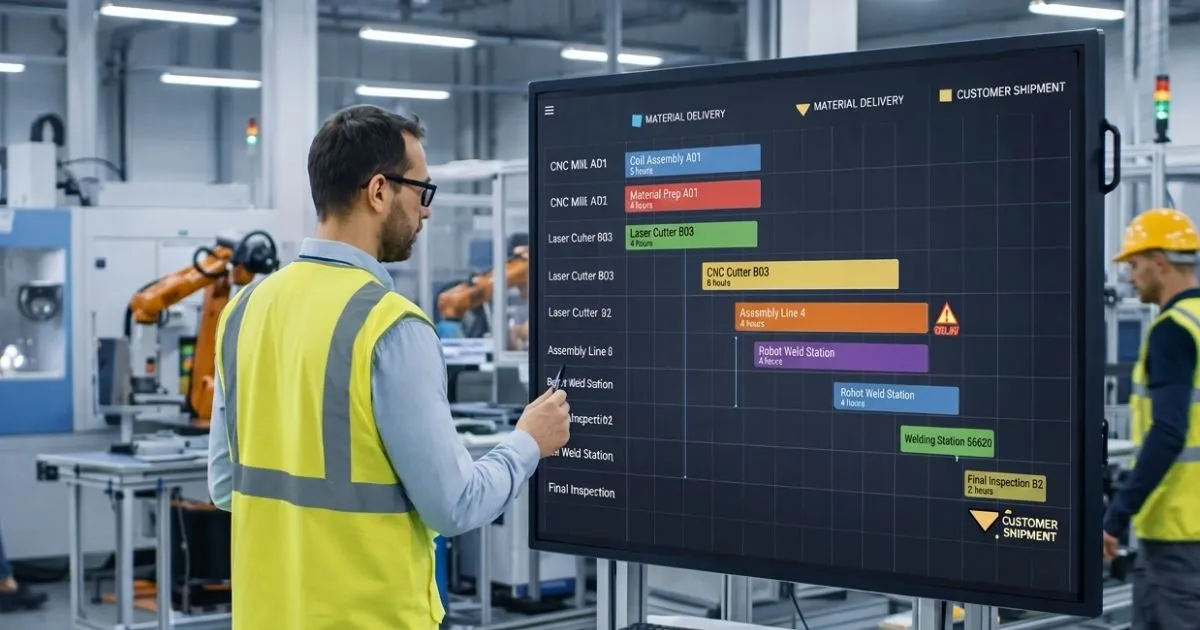
    A customer delivery date may look like a simple promise, but meeting it depends on dozens of decisions inside the factory. Materials need to arrive at the right time, machines and people need to be available, operations must happen in the right sequence, and urgent orders cannot continually disrupt work that is already in progress.

    This is where production scheduling becomes critical. A production plan can define what needs to be made, but the schedule turns that plan into an executable sequence of work. It connects customer demand with actual shop-floor capacity and helps teams understand what should happen, where it should happen, and when.

    When scheduling is weak, manufacturers often compensate with spreadsheets, daily firefighting, overtime, expedited orders, and constant changes in priority. When scheduling is reliable and connected with real operational data, teams have a much better chance of protecting delivery dates without creating unnecessary pressure across production.

    Production Planning and Production Scheduling Are Not the Same

    Production planning and production scheduling are closely related, but they solve different problems. Planning looks at what the business needs to produce over a broader period and whether demand can be supported by materials, labor, and equipment. Scheduling translates those requirements into specific timing, sequence, and resource assignments.

    As IBM explains in its overview of supply chain planning, production planning determines when and where products will be made while coordinating raw materials, labor, and equipment. Scheduling takes that intent closer to execution by deciding how work should be arranged against real constraints.

    The distinction matters because a feasible monthly plan can still fail on the shop floor. Two jobs may need the same machine at the same time. A critical component may not be available. A setup may take longer than expected. An urgent customer order may need to be inserted without pushing several other orders late. Production scheduling is where those conflicts become visible.

    On-Time Delivery Depends on More Than Working Faster

    When orders begin to run late, the natural reaction is often to push production harder. Teams add overtime, expedite materials, move people between work centers, or ask machines to run longer. These actions can help temporarily, but they do not necessarily solve the reason the schedule became unreliable.

    A factory can be busy and still deliver late. If work is released in the wrong sequence, bottlenecks become overloaded while other resources wait. If materials are missing, partially completed orders occupy space without moving. If priorities change constantly, teams spend time switching rather than completing work.

    Better production scheduling focuses on flow rather than activity alone. It helps manufacturers decide which jobs should move first, which resources are constrained, and whether the promised completion date is realistic based on the work already in the system.

    A Good Schedule Starts With Real Capacity

    One of the biggest differences between a useful schedule and an optimistic one is how capacity is treated. A schedule that assumes unlimited machine time, labor, or work-center availability may look good on paper but become impossible as soon as production begins.

    Realistic scheduling considers the capacity of critical resources. That can include machine availability, labor shifts, planned maintenance, setup time, tooling, subcontracted operations, and other constraints that determine how much work can actually be completed.

    A recent NIST Manufacturing Extension Partnership case study illustrates the connection. After a manufacturer corrected routing information, configured work centers for scheduling, and addressed a welding bottleneck, it was able to provide more accurate lead-time estimates and reduce quoted lead times from 12-14 weeks to 5 weeks.

    The lesson is not that every manufacturer needs the same scheduling method. It is that scheduling becomes more credible when the data behind capacity, routings, and constraints reflects what is actually happening in production.

    Bottlenecks Need to Shape the Schedule

    Most production environments have resources that limit throughput at different times. A welding department may be overloaded this week, while a particular machine, inspection step, or external supplier becomes the constraint next week.

    If every work center is treated as equally available, the schedule can release more work toward a bottleneck than it can process. Queues grow, lead times stretch, and downstream operations receive work inconsistently.

    Scheduling should therefore make constraints visible and help planners protect the flow through critical resources. This does not mean every minute needs to be optimized mathematically. Even basic visibility into work-center load, queue length, and available capacity can improve decisions about sequence and promised dates.

    NIST research on manufacturing investments has also identified bottleneck reduction and scheduling among high-return improvement areas, reinforcing how strongly these operational decisions can affect manufacturing performance.

    Material Availability Has to Be Part of the Decision

    A production schedule cannot be reliable if it assumes materials will be available when they are not. Releasing a job without the required components may make the schedule look active while creating work-in-progress that cannot be completed.

    This is why manufacturing production scheduling needs to stay connected with material requirements and inventory information. Planners should be able to see whether the required components are available, expected, delayed, or already committed to another order.

    The connection becomes especially important in make-to-order and configurable manufacturing, where different jobs may compete for the same components. A schedule that considers both capacity and material availability gives teams a more realistic picture of which orders can actually move forward.

    Sequence Matters More Than It Appears

    Two schedules can contain exactly the same orders and still produce very different results depending on sequence. Setup time, tooling changes, product families, batch requirements, due dates, and downstream dependencies can all influence the most practical order of work.

    Frequent priority changes make this harder. When every urgent request jumps to the front of the queue, the schedule loses stability. Existing jobs are interrupted, setups increase, and teams stop trusting the published plan because they expect it to change again.

    A stronger scheduling process provides clear rules for priority changes. Truly urgent orders can still be accommodated, but the impact on other work should be visible before the change is made. This turns rescheduling into a controlled decision rather than a daily reaction.

    Scheduling Creates a Shared View Across Departments

    Production delays rarely affect only production. Sales needs realistic promise dates. Purchasing needs to know when materials are required. Warehouse teams need visibility into incoming and outgoing demand. Logistics needs to prepare shipments, while management needs to understand whether customer commitments are at risk.

    When each department maintains its own spreadsheet or version of the plan, those decisions become difficult to coordinate. A change made by production may not reach sales, or a material delay identified by purchasing may not be reflected in the shop-floor schedule quickly enough.

    A connected operational platform such as Accleverate Pulse can support this broader need by bringing sales, production, warehouse, logistics, and operational information into a more unified environment. For scheduling, the value is not simply having another calendar. It is having the surrounding business data available when production decisions are made.

    A Reliable Schedule Makes Problems Visible Earlier

    Good scheduling does not eliminate disruption. Machines can fail, suppliers can deliver late, quality issues can create rework, and customer priorities can change. What a reliable schedule can do is make the impact visible earlier.

    If a critical operation slips by a day, planners should be able to see which downstream jobs and delivery dates are affected. If a work center becomes overloaded, the team can review alternatives before the backlog becomes unmanageable. If a material delay blocks several orders, purchasing and production can coordinate priorities instead of discovering the issue when the job reaches the machine.

    This earlier visibility changes the nature of production management. Instead of reacting only after an order is late, teams can focus on the conditions that are likely to make it late.

    Shop-Floor Feedback Keeps the Schedule Useful

    A schedule is only as current as the information feeding it. If planned times, actual completion, downtime, scrap, or work-center status are not updated, the schedule gradually becomes disconnected from reality.

    This is one reason manual scheduling becomes difficult as manufacturing complexity grows. A spreadsheet may be manageable when there are a few jobs and resources, but constant changes make it harder to maintain an accurate picture of what has started, what has finished, and what has been delayed.

    Capturing actual progress allows planners to compare planned and real performance. Over time, that information can also improve routing times, capacity assumptions, and lead-time estimates. The goal is not perfect data at every second, but enough reliable feedback to keep future decisions grounded in actual production.

    Visual Management Helps Teams Act on the Schedule

    A technically correct schedule has limited value if the people responsible for executing it cannot understand the priorities. Operators and supervisors need a clear view of what should happen next, what is late, and where attention is required.

    In one NIST MEP manufacturing case study, visual scheduling boards became part of standard operations and helped teams keep jobs flowing. The example highlights an important point: scheduling is not only a planning activity. It also needs to support communication and execution on the shop floor.

    Whether that visibility comes from digital work queues, dashboards, production boards, or another interface, teams should be able to understand priorities without relying on repeated verbal updates or separate files.

    Better Scheduling Can Improve Delivery Performance

    The relationship between scheduling and delivery performance is visible in real manufacturing improvement projects. In another NIST MEP example, a manufacturer aligned scheduling and clarified capacity across key departments while improving communication and visual management. The reported result included a 26% improvement in on-time delivery and a 90% reduction in month-to-month backlog.

    Those results should not be treated as a guarantee for every factory. Production performance depends on process design, demand, quality, material availability, workforce, equipment, and many other factors. But they demonstrate why scheduling should be treated as part of operational improvement rather than as an administrative task performed after the real decisions have already been made.

    When the schedule reflects real constraints and is used consistently, it can help manufacturers make more credible delivery promises, reduce unnecessary expediting, and focus improvement efforts on the areas that actually limit flow.

    Production Scheduling Works Best as Part of a Connected Process

    Scheduling cannot compensate for inaccurate routings, missing inventory data, unclear priorities, or processes that are not being followed. It works best when it is connected with the information that shapes production decisions.

    That includes orders and customer dates, bills of materials, material requirements, work-center capacity, routing information, inventory, actual production progress, and shipment requirements. When these elements are disconnected, planners spend more time collecting and reconciling information before they can make a decision.

    In some manufacturing environments, standard systems do not fully support the way this information needs to move between departments. When production rules, legacy systems, or internal workflows are highly specific, Cleverativity’s Custom Software Solutions can help connect those processes through tailored applications and integrations. The goal is to reduce the gap between planning and execution without introducing another isolated tool.

    Automation Can Help With Repetitive Scheduling Work

    Not every scheduling decision should be automated, especially when planners need to consider customer relationships, technical exceptions, or operational knowledge that is difficult to capture in a simple rule. But repetitive work around scheduling can often be reduced.

    Examples include alerts when an order is at risk, notifications when material is missing, routine status updates, data synchronization between systems, or escalation when a work center exceeds a defined threshold.

    Where these manual handoffs become a recurring bottleneck, Accleverate Flow AI can be used to analyze workflows and identify opportunities for practical AI and process automation. The purpose is not to remove the planner from the decision, but to reduce repetitive coordination so attention can stay on exceptions and priorities.

    How to Know When Your Scheduling Process Needs Improvement

    Manufacturers do not need to wait for a major delivery problem before reviewing scheduling. Warning signs often appear gradually: planners spend hours updating spreadsheets, supervisors work from different priority lists, sales cannot get reliable completion dates, urgent orders constantly disrupt the queue, or teams rely on overtime to recover from missed plans.

    Another sign is when the schedule is technically available but nobody trusts it. If departments create their own lists because the official schedule is considered unrealistic, the problem is no longer only a software issue. The underlying data, rules, and planning process need to be reviewed.

    A useful improvement project starts by mapping how orders move from demand to production and delivery. Identify where dates are created, how capacity is calculated, when material availability is checked, who can change priorities, and how actual progress is reported. Those points reveal where the schedule is losing accuracy or authority.

    Manufacturing Production Scheduling FAQ: Planning, Execution, and Control

    What is production scheduling in manufacturing?

    Production scheduling is the process of assigning manufacturing work to specific resources and time periods. It helps determine the sequence and timing of jobs based on demand, due dates, capacity, materials, routings, and other production constraints.

    How does production scheduling improve on-time delivery?

    Production scheduling improves on-time delivery by aligning customer due dates with realistic capacity, material availability, job sequence, and shop-floor progress. It also helps planners identify conflicts and bottlenecks before they cause missed delivery dates.

    What is the difference between production planning and scheduling?

    Production planning determines what needs to be produced and the broader resources required to meet demand. Production scheduling translates that plan into a more detailed sequence of work, assigning jobs to resources and time periods while considering operational constraints.

    Does production scheduling require an ERP or MRP system?

    Not always, but scheduling becomes easier to maintain when it can use reliable order, routing, material, inventory, and capacity data from connected business systems. The appropriate software depends on the complexity of the manufacturing process and the systems already in place.

    Can production scheduling eliminate late orders?

    No scheduling process can eliminate every disruption. Equipment failures, supplier delays, quality problems, and unexpected demand can still affect production. Good scheduling helps manufacturers see the impact earlier, respond more systematically, and make delivery commitments based on more realistic information.

    How often should a production schedule be updated?

    The schedule should be updated often enough to reflect meaningful changes in production, such as completed operations, delays, material issues, machine downtime, or priority changes. The right frequency depends on the manufacturing environment and how quickly conditions change.

    Turn Production Scheduling Into a More Reliable Delivery Process

    On-time manufacturing is not achieved by asking the shop floor to work faster every time an order falls behind. It depends on making realistic decisions about capacity, materials, sequence, priorities, and available time before those problems become urgent.

    A reliable production scheduling process gives manufacturers a clearer connection between customer commitments and what the factory can actually execute. It also provides a shared operational view that helps sales, purchasing, production, warehouse, and logistics coordinate around the same priorities.

    If spreadsheets, disconnected systems, or constant manual rescheduling are making production harder to manage, try Accleverate Pulse to see how a modular enterprise platform can support production scheduling, MRP, and connected operations across your business.

    Prefer to discuss your current workflow first? Contact Cleverativity to explore the best approach for your production and operational needs.

  • ERP vs MRP: Which One Does Your Manufacturing Business Actually Need?

    ERP vs MRP: Which One Does Your Manufacturing Business Actually Need?

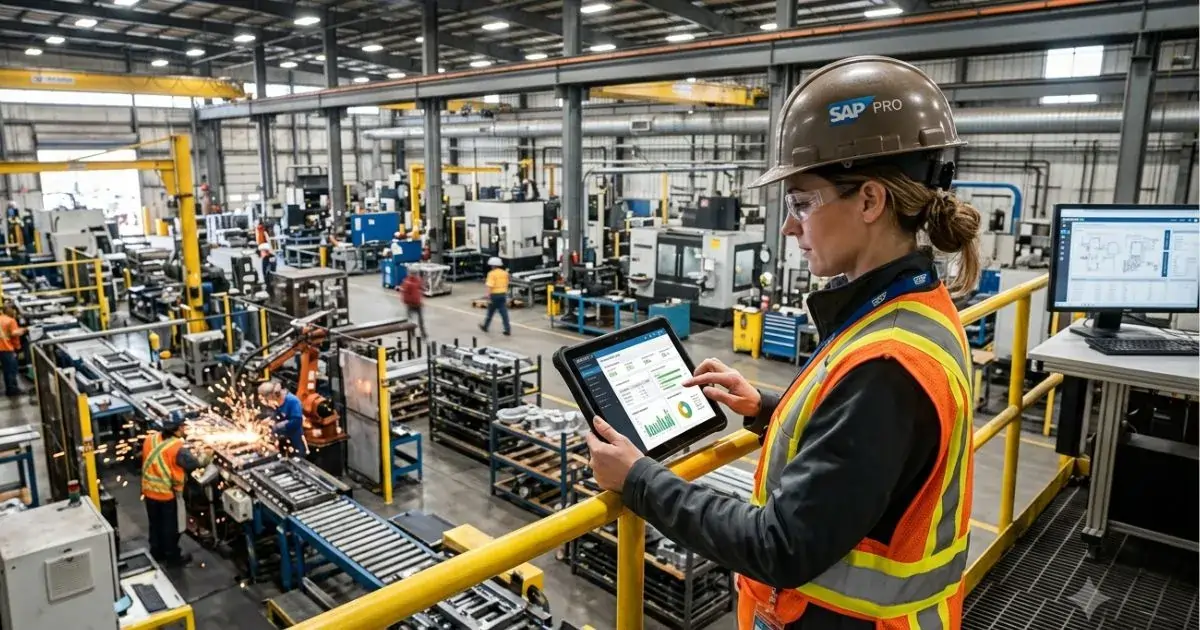
    MRP software becomes important when a manufacturing business needs better control over materials, inventory, production schedules, and purchasing decisions. At a basic level, it helps answer practical questions: what materials are needed, how many are required, and when they must be available to keep production moving.

    Manufacturing ERP software has a wider role. It can connect production planning with sales, warehouse, logistics, purchasing, finance, reporting, and management. Instead of focusing only on material requirements, ERP helps the business manage connected operations across departments.

    The challenge is that many manufacturers are not always sure which system they need. Some businesses need a focused planning tool. Others need a broader operational platform that connects sales, production, warehouse, and delivery. This is why understanding ERP vs MRP for manufacturers is important before investing in new software.

    For growing manufacturers, the decision is not only about features. It is about how work moves across the company, where information gets delayed, and whether the current system supports real operational control.

    Understanding the Difference Between ERP and MRP

    MRP stands for material requirements planning. It is mainly used to plan materials, production needs, purchase timing, inventory levels, and manufacturing schedules. In many companies, MRP is closely tied to the bill of materials, production demand, stock availability, lead times, and purchasing requirements.

    A clear definition of material requirements planning can help teams understand why MRP is especially useful for production planning and inventory control. It is designed to help manufacturers reduce shortages, avoid excess stock, and keep materials aligned with production demand.

    ERP stands for enterprise resource planning. ERP software is broader because it connects multiple business functions into one structure. A manufacturing ERP software platform may include production, warehouse, purchasing, sales, customer data, finance, reporting, and operational management.

    IBM describes enterprise resource planning as a system that manages and streamlines organizational functions, processes, and workflows through automation and integration. For manufacturers, this broader structure can be useful when production planning is only one part of a larger operational challenge.

    What MRP Software Does Well

    MRP software is useful when the main problem is planning what materials are needed for production. It helps manufacturers work from demand, orders, forecasts, bills of materials, inventory records, and supplier lead times. The goal is to make sure the right materials are available at the right time without carrying unnecessary stock.

    This can be valuable for businesses that struggle with stockouts, overstocking, delayed purchasing, or unclear production requirements. If teams often ask whether materials are available, whether a purchase order should be placed, or whether a production plan can be supported, MRP can bring more structure to those decisions.

    MRP software is usually strongest when the business needs better material planning, inventory visibility, and production scheduling. It may not be enough, however, when the business also needs to connect sales orders, quotations, warehouse movements, logistics, customer communication, and management reporting.

    What Manufacturing ERP Software Adds

    Manufacturing ERP software goes beyond material planning. It connects production with the rest of the business. This matters because production is rarely isolated. A customer request may become a quotation, then an order, then a production plan, then a warehouse movement, then a shipment, and finally a report or invoice.

    When these steps are handled in separate tools, teams may need to copy data, send updates manually, and check several systems before making decisions. A broader ERP structure can reduce these gaps by giving departments a shared view of orders, inventory, production status, documents, and responsibilities.

    For example, Accleverate Pulse is designed to help businesses manage sales, production, warehouse, logistics, and operations in one modular system. This kind of approach is useful when the issue is not only material planning, but also coordination across departments.

    When MRP May Be Enough

    MRP may be enough when the business has a focused production planning problem and does not yet need a full operational system. For example, a manufacturer may already have separate tools for accounting, sales, or warehouse management, but still needs stronger control over materials and production schedules.

    In this case, a focused MRP software solution can help improve purchasing decisions, reduce material shortages, and support more reliable production planning. It can also be easier to introduce than a larger ERP project, especially if the business has limited complexity or a smaller team.

    MRP can be a practical fit when the main questions are: What do we need to produce? Which materials are required? What is already available? What needs to be purchased? When should production start?

    When ERP Becomes the Better Choice

    ERP becomes the better choice when the problem is no longer limited to materials. If sales, production, warehouse, logistics, and management all need better coordination, a wider system may be necessary.

    A business may start looking at manufacturing ERP software when teams rely on spreadsheets, repeated exports, manual approvals, duplicated data, or disconnected departmental tools. In these situations, the real issue is not just planning materials. The issue is that information does not move clearly across the company.

    If your team is already using spreadsheets to connect sales, warehouse, production, and reporting, it may also be useful to review the signs that your business has outgrown spreadsheets and needs stronger manufacturing workflow software.

    ERP is also useful when management needs clearer reporting. If leaders cannot easily see order status, production progress, inventory availability, delivery delays, or operational performance, a connected ERP structure can provide better visibility.

    This is also part of a wider digital transformation challenge, where sales, production, and operations need to work from the same information instead of disconnected files.

    ERP vs MRP for Manufacturers: Key Decision Points

    The best way to compare ERP vs MRP for manufacturers is to start with the process, not the software category. A company should map how work moves from customer request to production and delivery. Then it can identify whether the biggest gaps are in material planning, cross-department coordination, reporting, or system integration.

    If most issues happen inside production planning, MRP may be the right starting point. If issues appear across sales, production, warehouse, purchasing, logistics, and management, ERP may provide stronger long-term value.

    It is also important to consider growth. A business that only needs MRP today may later need broader ERP capabilities as product lines, locations, users, approvals, and customer requirements become more complex. Choosing a flexible system can help avoid another replacement later.

    Signs Your Business Needs MRP Software

    A manufacturer may need MRP software if production planning is becoming difficult to manage with spreadsheets or manual checks. Common signs include material shortages, too much unused stock, unclear purchase timing, frequent production rescheduling, and limited visibility into material availability.

    MRP can also help when teams struggle to connect demand with purchasing decisions. If production schedules change but material orders are not updated quickly enough, delays can appear across the workflow. A structured MRP process helps keep planning more organized.

    However, if these material planning issues are connected to wider operational problems, such as disconnected sales orders, warehouse movements, or logistics updates, the business may need to look beyond MRP alone.

    Signs Your Business Needs Manufacturing ERP Software

    A business may need manufacturing ERP software when disconnected systems create repeated work across departments. Sales may manage customer requests in one tool, production may plan in another, warehouse may track stock separately, and management may depend on manual reports.

    This creates delays and uncertainty. Teams may not know whether an order is approved, whether materials are available, whether production has started, or whether a shipment is ready. Over time, these gaps can affect customer communication, delivery performance, and internal efficiency.

    A broader ERP structure can help connect these areas so information moves more clearly. Instead of each department working from its own version of the truth, the business can create one operational flow from sales to delivery.

    Why Some Manufacturers Need a Modular Approach

    Not every manufacturer needs a large, rigid ERP implementation. Some businesses need a modular approach that starts with the most important operational gaps and expands over time. This can be especially useful for companies that want stronger structure without forcing every department into a generic system all at once.

    A modular enterprise platform can support specific areas such as CRM, configurators, production scheduling, warehouse management, logistics, document management, AI, and automation. The business can focus first on the workflows that create the most friction, then add more capabilities as needs become clearer.

    This is where Accleverate Pulse can be positioned as a practical option for connected operations. It is built around sales, production, warehouse, logistics, and operations, which makes it relevant for manufacturers that need more than isolated MRP functionality.

    Do You Need Custom Software Instead?

    Some manufacturers have processes that standard tools cannot support clearly. They may have unique product rules, complex quotation logic, customer-specific workflows, legacy systems, or integrations that do not fit well into a ready-made platform.

    In these cases, custom software solutions may be the better path. Custom development can help create a system around the company’s actual operational logic instead of forcing the business to adapt to software that does not fully match the process.

    If standard ERP or MRP tools cannot match the workflow clearly, it may be worth comparing custom software vs off-the-shelf software before choosing a long-term system.

    This does not mean every system needs to be built from scratch. A smart approach may combine a modular platform, integrations, workflow automation, and custom modules where they are needed most.

    Where Automation Fits into ERP and MRP Decisions

    ERP and MRP decisions are also connected to automation. Even with better software, businesses may still have repetitive approvals, reminders, document preparation, internal notifications, or follow-up tasks.

    When repetitive tasks slow teams down, Accleverate Flow AI can help identify bottlenecks and automate workflows around the existing process. For a broader view of where automation fits, this article on AI workflow automation explains how businesses can reduce repetitive tasks without disrupting daily operations.

    For manufacturers, automation is most useful when it supports real operations. It should reduce repeated checks, improve accuracy, and help teams respond faster when something changes.

    How to Choose the Right Path

    Start by asking what problem the business is trying to solve. If the main issue is material planning, production scheduling, and inventory requirements, MRP software may be enough. If the issue is broader coordination across departments, manufacturing ERP software may be the stronger fit.

    Next, consider how the business will grow. A system that works today should not become a limitation as the company adds more products, users, locations, approvals, or reporting needs. Flexibility matters because manufacturing processes often become more complex over time.

    Finally, look at adoption. The best system is not always the one with the most features. It is the one that helps teams work more clearly, reduces manual effort, and supports the daily process in a way people can actually use.

    FAQ: ERP vs MRP for Manufacturers

    What is the difference between ERP and MRP?

    MRP focuses mainly on material requirements, inventory planning, purchasing needs, and production schedules. ERP is broader and can connect production with sales, warehouse, logistics, finance, reporting, and other business functions.

    What does MRP software help manufacturers do?

    MRP software helps manufacturers plan materials, manage inventory needs, support production scheduling, and decide when purchasing should happen. It is useful when the main challenge is keeping materials aligned with production demand.

    When does a company need manufacturing ERP software?

    A company may need manufacturing ERP software when production planning is connected to wider operational issues, such as disconnected sales orders, warehouse updates, logistics coordination, approvals, reporting, or duplicated data across departments.

    Is MRP part of ERP?

    In many systems, MRP can be part of a broader ERP platform. ERP may include MRP functionality along with other modules for sales, purc

    Which is better: ERP or MRP?

    Neither option is always better. MRP is better for focused material and production planning needs. ERP is better when the business needs connected workflows across departments and stronger operational visibility.

    Can a manufacturer start with MRP and move to ERP later?

    Yes. Some manufacturers begin with MRP software to improve material planning, then move toward ERP as their operations become more complex. A modular or flexible approach can make this transition easier.

    Choose the System That Fits Your Manufacturing Process

    Choosing between ERP and MRP is not only a software decision. It is a decision about how your manufacturing business manages materials, production, data, and coordination across departments.

    MRP software can be the right choice when the main priority is material planning and production scheduling. Manufacturing ERP software becomes more valuable when the business needs to connect sales, production, warehouse, logistics, and management in one clearer structure.

    If your business is comparing ERP vs MRP for manufacturers, the right next step is to map the workflow first. Look at where delays happen, where data is repeated, and which teams need better visibility. From there, it becomes easier to understand whether your business needs MRP software, a broader ERP structure, or a more tailored digital system.

    Cleverativity helps manufacturing and technical businesses design software around real workflows, not generic processes. With Accleverate Pulse, your business can connect sales, production, warehouse, logistics, and operations in one modular enterprise platform built to improve visibility, reduce manual coordination, and support better daily decisions.

    If your current tools no longer reflect how your manufacturing process really works, explore Accleverate Pulse or contact Cleverativity to discuss the right software path for your operations. For workflows that require unique logic, integrations, or modernization beyond standard tools, Custom Software Solutions can also help build a system around your specific business needs.

  • Manufacturing Workflow Software: 5 Signs Your Business Has Outgrown Spreadsheets

    Manufacturing Workflow Software: 5 Signs Your Business Has Outgrown Spreadsheets

    Spreadsheets are often the first tool businesses use to manage production, orders, stock, schedules, and internal data. They are flexible, easy to start with, and familiar to most teams. But as a manufacturing business grows, spreadsheets can quickly become difficult to manage. This is often the point where manufacturing workflow software becomes necessary to keep operations clear, accurate, and easier to control.

    What once worked for simple tracking can become a source of errors, delays, duplicated work, and unclear communication. When different teams depend on separate files, outdated versions, or manual updates, it becomes harder to see what is really happening across the business.

    This issue is part of a larger shift in manufacturing. As companies move toward digital transformation in manufacturing, disconnected files and siloed processes can make it harder to scale improvements across departments. The goal is not simply to replace spreadsheets, but to create a more reliable flow of information between sales, production, warehouse, and logistics.

    Here are five signs your manufacturing business may have outgrown spreadsheets and should start considering manufacturing workflow software or a more connected operations management software solution.

    For many companies, this change happens gradually. A spreadsheet may start as a simple way to track orders, then slowly becomes the place where teams manage stock, production status, customer requests, delivery notes, and internal approvals. The problem is that the file was never designed to become the operational backbone of the business. Once too many people depend on it, every small change can affect other departments. This is why the move from spreadsheets to software for production and warehouse management is not only a technology decision. It is also a way to create clearer processes, better accountability, and a more reliable structure for daily work.

    1. Your teams are working with different versions of the truth

    One of the clearest signs that spreadsheets are no longer enough is when different departments rely on different files.

    Sales may have one version of an order. Production may have another. The warehouse may be working from a separate stock list, while logistics uses its own shipment tracker. Even if every team is doing its best, disconnected files make it difficult to maintain one accurate view of the business.

    This creates confusion around order status, available materials, production progress, and delivery timelines. Instead of making decisions based on reliable information, teams spend time checking, confirming, and correcting data.

    A connected system helps reduce this problem by keeping key operational information in one place, so teams can work from the same source of truth.

    Another warning sign is when spreadsheet management starts to depend on informal knowledge. For example, one team member may know which file is the latest version, which column should not be edited, or which formula needs to be checked before a report is shared. This may work while the team is small, but it becomes risky when new people join, responsibilities change, or order volume increases. A growing manufacturing business needs processes that are clear enough for different teams to follow consistently, not systems that depend on memory, workarounds, or one person maintaining a complex spreadsheet. Clearer systems make it easier to train staff, reduce dependency on manual checks, and keep operations stable as the business grows.

    2. Manual updates are taking too much time

    Spreadsheets often require constant manual work. Teams need to update stock levels, production dates, order status, customer information, delivery details, and reports by hand.

    At first, this may feel manageable. But as order volume grows, manual updates become slower and riskier. This is where workflow automation becomes important because it helps reduce repetitive manual tasks and allows teams to focus on higher-value work.

    A missed update, copied value, or outdated formula can affect the entire workflow. This does not only waste time. It also increases the chance of errors that can delay production, affect stock accuracy, or create problems between departments.

    When your team spends more time updating spreadsheets than managing the actual work, it may be time to move toward custom enterprise software that automates repetitive tasks and improves operational visibility.

    3. Production, warehouse, and logistics are difficult to coordinate

    Manufacturing operations depend on timing. Sales, production, warehouse, and logistics need to stay aligned so orders can move smoothly from request to delivery.

    Spreadsheets make this coordination harder when information is scattered across different files or managed by different people. A production delay may not immediately reach the warehouse. A stock issue may not be visible to sales. A shipment update may not be connected to the original order.

    These gaps can create bottlenecks, delays, and unnecessary back-and-forth communication.

    This is where software for production and warehouse management becomes valuable. A connected platform can help teams monitor workflows, coordinate tasks, and reduce delays across departments.

    4. Reporting is slow or unreliable

    If preparing reports requires collecting data from several spreadsheets, checking formulas, cleaning duplicates, and manually building summaries, your reporting process is probably too dependent on manual effort.

    Slow reporting makes it harder for managers to understand what is happening in real time. By the time a report is ready, the information may already be outdated.

    For manufacturing businesses, this can affect decisions around production planning, material availability, stock levels, delivery timelines, and resource allocation.

    A better operations management software solution gives teams clearer visibility into daily activity, helping decision-makers act faster and with more confidence.

    Reliable reporting also helps management identify patterns before they become larger operational problems. For example, repeated stock shortages may show that purchasing, warehouse, and production planning are not aligned. Frequent delivery delays may reveal that order information is not reaching the right team early enough. When reports are built manually, these patterns can be missed or discovered too late. A connected system makes performance data easier to follow and helps leaders understand where processes need improvement.

    5. Your spreadsheets can no longer support business growth

    Spreadsheets can support a small team or a simple process, but they are not designed to manage complex operations at scale.

    As a business grows, more users, products, orders, materials, and workflows are added. The spreadsheet structure becomes harder to control. Files become larger, formulas become more fragile, and processes become more dependent on the people who built or maintain them.

    This creates risk. If only one or two people understand how the spreadsheet works, the business becomes dependent on manual knowledge instead of a clear, repeatable system.

    A scalable platform helps standardize processes, improve collaboration, and support future growth without relying on disconnected tools. For companies comparing whether to keep using standard tools or invest in a more tailored system, the custom software development article can help explain when a business may need a solution built around its own workflows.

    This also makes onboarding easier. When processes live only inside spreadsheets, new employees often need to learn hidden rules, manual checks, and file-specific habits from other team members. With a structured system, the workflow itself can guide users through the right steps, required information, and department handoffs. That reduces dependency on individual memory and helps teams work more consistently as the business grows.

    When should you replace spreadsheets?

    Replacing spreadsheets does not always mean removing them completely. In many businesses, spreadsheets can still be useful for simple analysis or temporary tasks.

    The real issue starts when spreadsheets become the main system for managing operations.

    If your team depends on spreadsheets to control production schedules, warehouse data, orders, logistics, or cross-department workflows, it may be time to consider a more connected solution.

    Accleverate Pulse is designed to help businesses manage sales, production, warehouse, logistics, and operations in one modular system. It supports connected workflows, better visibility, and less duplication across departments.

    A good replacement should also reflect how the business actually works. Manufacturing companies often have specific approval flows, product structures, warehouse rules, pricing logic, and production steps. Generic tools may reduce some spreadsheet use, but they may not solve the real operational gaps. The best approach is to choose software that can connect departments while still adapting to existing workflows, data, and business priorities.

    What is manufacturing workflow software?

    Manufacturing workflow software helps businesses manage operational processes such as production, warehouse activity, orders, logistics, and reporting in a more connected system instead of relying on separate spreadsheets.

    When should a business replace spreadsheets?

    A business should consider replacing spreadsheets when files become difficult to control, reports take too long to prepare, teams work from different versions, or manual updates start causing delays and errors.

    Can spreadsheets still be useful in manufacturing?

    Yes. Spreadsheets can still be useful for simple analysis, temporary planning, or quick calculations. The problem starts when they become the main tool for managing daily operations across departments.

    Streamline Your Workflows with Acceleverate Pulse

    Spreadsheets are great when you’re just starting out, but they shouldn’t hold your growth hostage. When manual errors, blind spots, and constant data silos start slowing down your factory floor, it’s a clear sign that your production line needs a connected digital foundation.

    Manufacturing workflow software bridges those operational gaps, bringing your production, warehouse, and logistics data together into a single source of truth. If you’re ready to eliminate the spreadsheet chaos and scale your business with confidence, contact Cleverativity and Acceleverate Pulse today to see how flexible, automated workflows can transform your daily operations.