
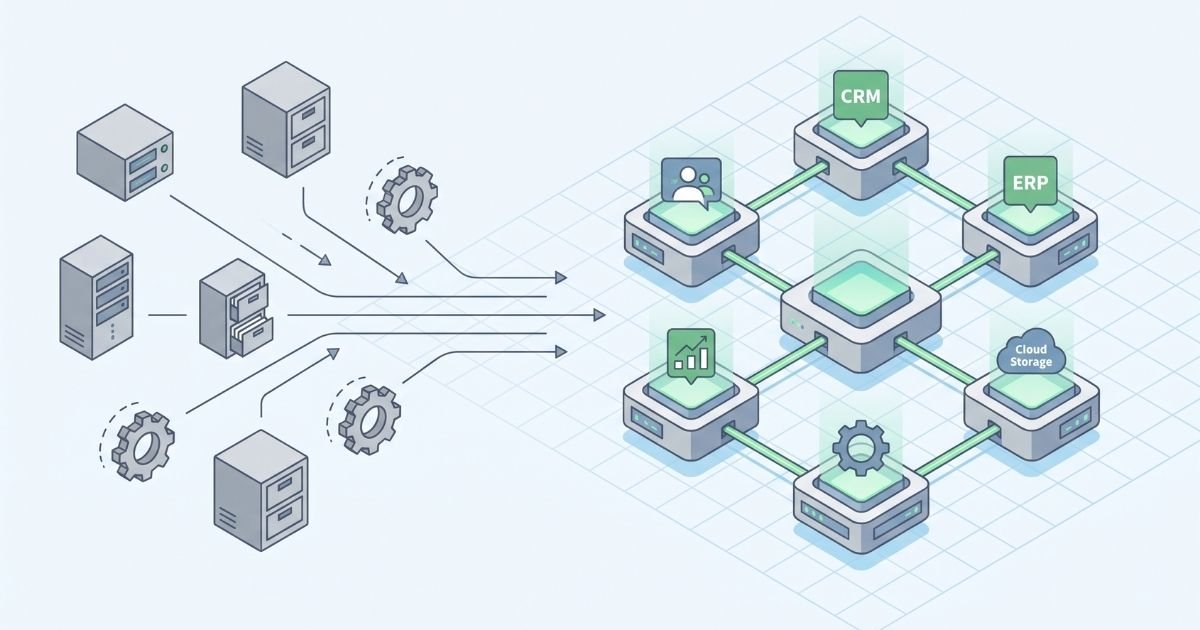
Legacy business software is not automatically a problem because it is old. Many systems continue to support important operations for years, and replacing a stable application simply because newer technology exists can create unnecessary cost and disruption.
The problem begins when the system no longer supports the way the business needs to work. Maintenance becomes harder, integrations become fragile, employees create workarounds, and even small changes take too much time or carry too much risk.
It may be time to replace or modernize legacy business software when maintaining the current system creates more operational risk, manual work, integration problems, or development limitations than moving to a modern solution. The right decision is therefore based less on the age of the software and more on whether it can still support the business safely, efficiently, and flexibly.
A mature application can still be reliable, maintainable, secure, and well aligned with business requirements. In that case, its age alone is not a reason to replace it.
A system becomes a legacy problem when its technology, architecture, or design makes it increasingly difficult to maintain, integrate, scale, secure, or adapt. The software may still perform its original function, but the surrounding business has changed while the application has remained largely fixed.
IBM’s legacy application modernization overview identifies characteristics such as outdated technology, high maintenance costs, limited scalability, poor adaptability, and security vulnerabilities. These are more useful warning signs than the installation date of the application itself.
One of the clearest warning signs is the amount of manual work employees perform around the system. The application may still technically function, but teams need spreadsheets, copied data, email approvals, manual reports, or separate databases to complete the process.
These workarounds often appear gradually. One spreadsheet solves a reporting limitation. Another tracks information the system cannot store. A manual export becomes the easiest way to move data to another application. Over time, these extra steps become part of daily operations.
The result is hidden operational cost. Employees spend time maintaining duplicate information, checking which file is current, and correcting inconsistencies. If the business process increasingly depends on workarounds rather than the system itself, legacy software modernization deserves serious consideration.
Business software needs to evolve as products, customers, regulations, reporting requirements, and internal processes change. A healthy system should allow reasonable improvements without putting unrelated functions at risk.
Legacy applications can reach a point where even a small modification requires disproportionate effort. Developers may need to trace undocumented dependencies, test large parts of the application, or avoid certain components because nobody is completely sure what will break.
This technical debt slows improvement. When useful features are repeatedly postponed because the architecture is too difficult to modify, the software is no longer only an IT concern. It is limiting how quickly the business can respond to new requirements.
Some legacy systems depend heavily on a small number of employees or external specialists who understand old programming languages, unusual database structures, undocumented business rules, or years of accumulated modifications.
That knowledge can become an operational dependency. If those people leave, retire, or become unavailable, routine maintenance and future changes become harder.
Microsoft’s application modernization guidance similarly highlights obsolete technology and institutional knowledge concentrated among a few employees as common modernization concerns. Reducing that dependency can be an important reason to review the system.
A business application rarely operates alone. Customer information may move between CRM and ERP systems, orders may connect with production and warehouse processes, documents may need to be generated automatically, and management may expect data to feed reporting tools.
Legacy software can make these connections difficult when it lacks modern APIs, uses proprietary data structures, or was never designed to exchange information with newer platforms. Teams may compensate with file exports, scheduled imports, manual copying, or fragile custom scripts.
When these limitations prevent information from moving reliably between departments, the effect is broader than IT. Sales may work with outdated order information, operations may wait for manually transferred data, and management may struggle to get a consistent view of performance.
When these integration gaps are tied to company-specific workflows, a tailored approach may be more practical than adding another standard tool. Cleverativity’s Custom Software Solutions are built around existing processes, data flows, and integration requirements, helping businesses modernize without losing the logic they already depend on.
Software that worked well for a smaller organization may struggle as users, locations, products, transactions, or data increase. Slow searches, long processing times, unstable batch operations, or limited concurrent access can gradually become accepted as normal.
Performance problems do not always require replacement; infrastructure, configuration, or database design may be the real cause. But when the architecture itself cannot scale without major effort, the business should consider whether continued investment in the old platform is still justified.
Scalability also includes new workflows, mobile access, additional locations, integrations, and changing business models. Modernization should therefore be evaluated against where the organization is going, not only against today’s workload.
Older frameworks, unsupported operating systems, outdated libraries, or applications that no longer receive vendor updates can create security and maintenance risks that become harder to manage.
The important question is whether the system can still be secured and supported responsibly. If patches are unavailable, dependencies are unsupported, or important security controls require major architectural changes, the risk of keeping the application increases.
Microsoft’s application modernization lifecycle guidance recommends assessing applications, data, infrastructure, security vulnerabilities, technical debt, and optimization opportunities before selecting a modernization path.
Sometimes the application is technically stable but operationally outdated. The company may have introduced new approval rules, product configurations, sales channels, production processes, reporting requirements, or customer expectations that did not exist when the system was designed.
If the software cannot represent those changes, employees adapt the process around it. They may enter information in fields intended for something else, maintain separate files, or complete important steps outside the application.
This is particularly relevant for industrial and B2B businesses where software can contain company-specific product logic, calculations, documents, pricing rules, or operational processes. A generic replacement may not solve the problem if the real requirement is to preserve valuable business logic while improving the system around it.
Recognizing that a legacy system needs attention does not automatically mean rebuilding everything from scratch. The right approach depends on which parts of the application still provide value and which parts create the greatest constraints.
A company might retain the application while replacing selected modules, move it to newer infrastructure, refactor difficult components, introduce modern integrations, redesign the interface, or gradually transition workflows to a new system.
Microsoft’s modernization planning guidance describes several strategies, including retaining, rehosting, refactoring, rearchitecting, rebuilding, replacing, and retiring applications. The appropriate choice depends on business value, technical requirements, cost, and risk.
This distinction matters because a modernization project should solve the problems that justify change rather than assume that every part of the existing system must disappear.
A full replacement can be risky when the legacy application supports critical daily operations. Years of business rules may be embedded in the software, and some may not be documented clearly enough to reproduce immediately.
A phased approach can reduce that risk. A company might begin with a high-friction module, build a modern interface around existing data, replace one workflow at a time, or introduce integrations that remove manual work before addressing the core application.
This incremental approach is consistent with AWS Prescriptive Guidance on application modernization, which recommends assessing modernization readiness, starting with selected applications, learning from those projects, and then establishing a foundation for broader modernization.
Smaller phases also give users time to adapt and make it easier to validate requirements before more of the system is changed.
One of the biggest mistakes in replacing legacy software is assuming that everything old should disappear. Mature systems often contain years of business knowledge: pricing rules, approval logic, product structures, calculations, reports, customer requirements, and exceptions that teams have refined over time.
Modernization should identify which rules still create value and which exist only because of historical limitations. Rebuilding every workaround in a new application simply recreates old problems with newer technology.
A useful discovery phase therefore combines technical and process analysis. Developers need to understand the architecture and data, while business users need to explain why particular workflows exist and whether they are still necessary.
The application is only part of the modernization challenge. Years of customer, product, order, document, or operational data may need to remain available after the system changes.
Before migration, teams should identify which data is useful, which records must be retained, and which information is duplicated or unreliable. Moving every historical record without review can transfer old data problems directly into the new system.
It is also important to decide how historical information will be accessed. Some records may need to move into the new application, while older data could remain available through an archive or reporting environment.
Legacy software often reflects the interface conventions and working patterns of the period in which it was built. Users may need many screens to complete a task, rely on shortcuts known only to experienced employees, or work from desktop installations that are difficult to access remotely.
Modernization creates an opportunity to review how people actually use the system. Processes can be simplified, information can be presented more clearly, and suitable workflows can be moved toward modern web or mobile interfaces.
A modernization project creates an opportunity to review how people actually use the system, simplify unnecessary steps, and make important workflows easier to access. This is the kind of approach behind Cleverativity’s Custom Software Solutions, where modernization is shaped around the business process rather than treated as a simple technology replacement.
In some businesses, the challenge is broader than one aging application. Sales may use one tool, production another, warehouse teams maintain separate information, and management relies on manually assembled reports.
Replacing a single system without considering these connections can leave the underlying fragmentation unchanged. A modernization assessment should therefore examine how information needs to move across the business, not only the feature list of the application being replaced.
If the problem extends beyond one legacy application and affects how sales, production, warehouse, and logistics share information, the solution may need to address the wider operational structure. In that context, Accleverate Pulse is one example of a modular platform designed to connect those workflows in a more unified environment.
Modernizing a system can create opportunities to automate repetitive work, but automation should not simply reproduce an inefficient legacy process at greater speed.
Before automating, teams should review approvals, data entry, notifications, document preparation, reporting, and handoffs to determine which steps are necessary and which exist only because the old system could not support a better workflow.
Once the underlying process has been simplified, some repetitive coordination may also be suitable for automation. Accleverate Flow AI is designed for this stage: analyzing workflows, identifying bottlenecks, and applying automation or AI where it creates practical value.
Start with the problems users experience, then determine which come from the application itself and which come from the surrounding process. Review maintenance effort, support availability, security, integration capability, performance, scalability, user experience, data quality, and the cost of current workarounds.
It is also useful to consider the cost of doing nothing. What happens if the system remains unchanged for another three to five years? Will specialist knowledge become harder to find? Will integrations become more fragile? Will important improvements continue to be postponed?
If the application remains stable, secure, maintainable, and aligned with the process, retaining it may be reasonable. If specific components are creating problems, targeted modernization may be enough. If the architecture prevents meaningful improvement across several areas, replacement or substantial reengineering becomes easier to justify.
The objective is not to choose the newest technology. It is to choose the path that reduces operational risk while giving the business enough flexibility to continue improving.
Legacy software modernization is the process of updating an older application so it can better support current business, technical, security, integration, and scalability requirements. It can involve rehosting, refactoring, rearchitecting, replacing, or rebuilding parts of the system.
Replacement should be considered when the system creates persistent operational problems, becomes difficult or expensive to maintain, cannot integrate with important tools, depends on unsupported technology, or prevents the business from adapting its processes.
No. Modernization can be incremental. A company may replace selected modules, modernize the interface, move infrastructure, refactor parts of the code, add integrations, or gradually transition workflows to a new platform.
In many cases, yes, but the best approach depends on the existing architecture, data, business logic, security requirements, and integrations. Some applications can be modernized progressively, while others may benefit from a more substantial redesign.
Existing data should be assessed before migration. Useful and required information can be cleaned, mapped, migrated, archived, or made accessible through another system. Data migration should be planned as part of the modernization strategy.
No. Some systems can be replaced with suitable off-the-shelf platforms, while others can be rehosted or refactored. Custom software becomes more relevant when specialized workflows, integrations, technical logic, or operational requirements cannot be supported well by standard products.
The right time to modernize legacy software is not defined by how many years the application has been running. It is defined by whether the system still supports the business safely, efficiently, and flexibly.
If your current system is becoming difficult to maintain, integrate, or adapt, Custom Software Solutions can help you explore whether modernization, partial replacement, or a more tailored system is the right next step.
Not sure which approach makes sense? Contact Cleverativity to discuss your current setup and identify the most practical path forward.
